Unknown Visitors
Description
This email is sent to host/host delegate to inform them that a visitor scheduled via the calendar integration functionality was unable to be found in the system and more information about them is needed before the visit can be scheduled. When the email is received the recipient can click on the URL which will bring them directly to the visitor info page to fill in the needed information.
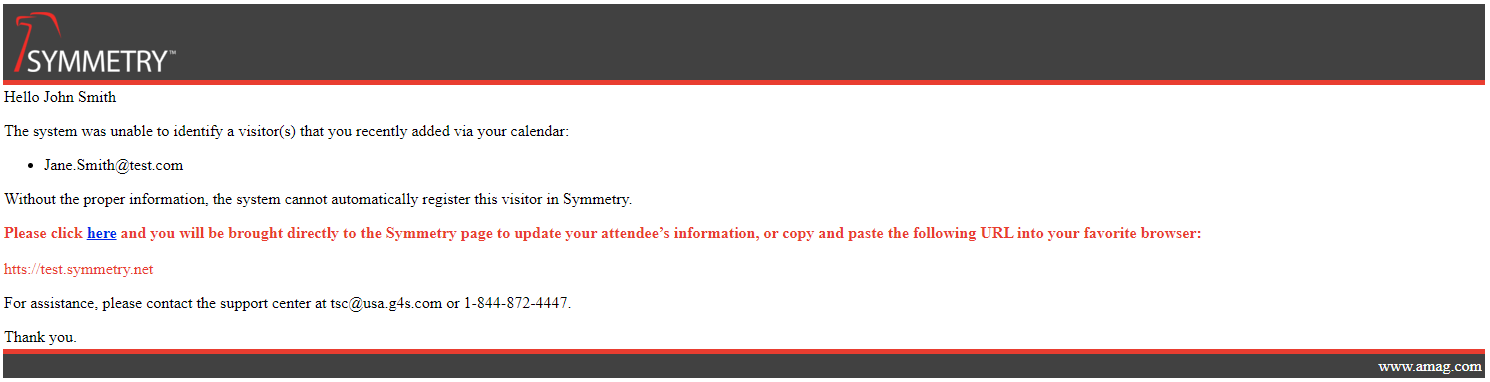
Template
<p>Hello @Model.FirstName @Model.LastName</p>
<p>
  The system was unable to identify a visitor(s) that you recently added via your calendar:
</p>

<p>
  <ul>
  @foreach(var attendee in Model.Attendees) {
    if(attendee.VisitorId == null) {
      <li>@attendee.Email</li>
    }
  }
  </ul>
</p>
<p>
  Without the proper information, the system cannot automatically register this visitor in Symmetry.
</p>

<p style="color:#E63E2C;"><strong>Please click <a href="@Model.Url">here</a> and you will be brought directly to the Symmetry page to update your attendee’s information, or copy and paste the following URL into your favorite browser:</strong><br><br>
  @Model.Url
</p>

<p>
  For assistance, please contact the support center at tsc@usa.g4s.com or 1-844-872-4447.
</p>

<p>Thank you.</p>
Razor Elements
Element | Description |
|---|---|
@Model.FirstName | The first name of the host/host delegate |
@Model.LastName | The last name of the host/host delegate |
@attendee.Email | Email address of the visitor |
@Model.Url | The URL for the missing Visitor information. |
Warning
It is recommended that these elements be used as stated with the only edits being to remove them if the information generated is not required.
Using Razor Elements in Loops
Razor elements may be defined as part of a @foreach loop to iterate through a collection.
Example:
@foreach (var credentialsForDayLeft in Model.CredentialsByDayLeft)
In the example above:
Model.CredentialsByDayLeftis the collection provided by the template modelcredentialsForDayLeftis a Razor element created for iterationThe element represents an individual item from the collection
Note
Razor elements created within a loop are locally scoped.
These elements are only available within the loop in which they are defined
They are not part of the main
ModelThey cannot be referenced outside of the loop
Additional Information:
Razor elements referencing
@Modelproperties are available throughout the template.Razor elements defined within loops are intended for temporary use when iterating through collections.
To reference data outside of a loop, use the appropriate
@Modelelement.
Warning
Razor elements defined within a loop (for example, @credentialsForDayLeft) must only be used within that loop. Attempting to reference these elements outside of their scope will result in an error.