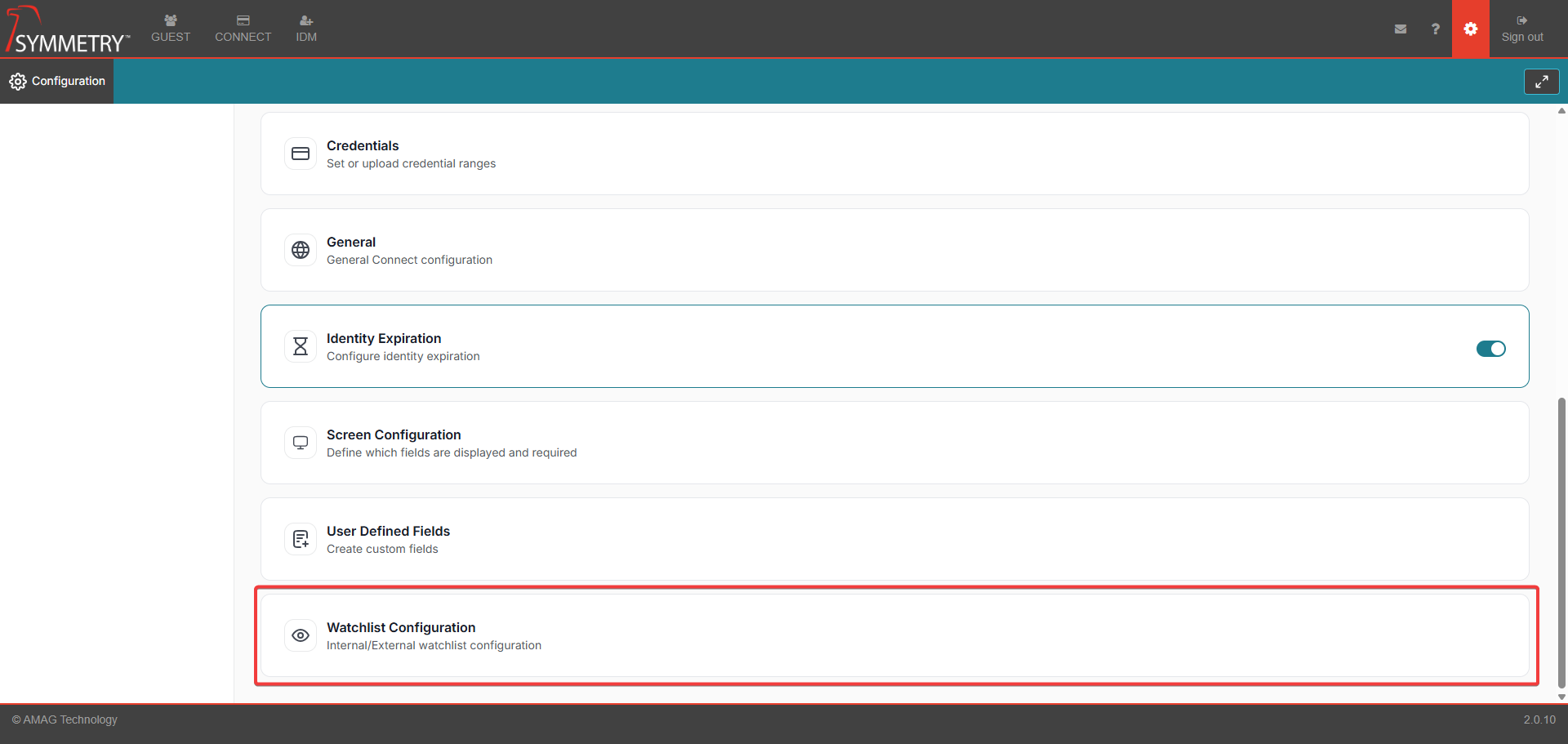
Watchlist Configuration
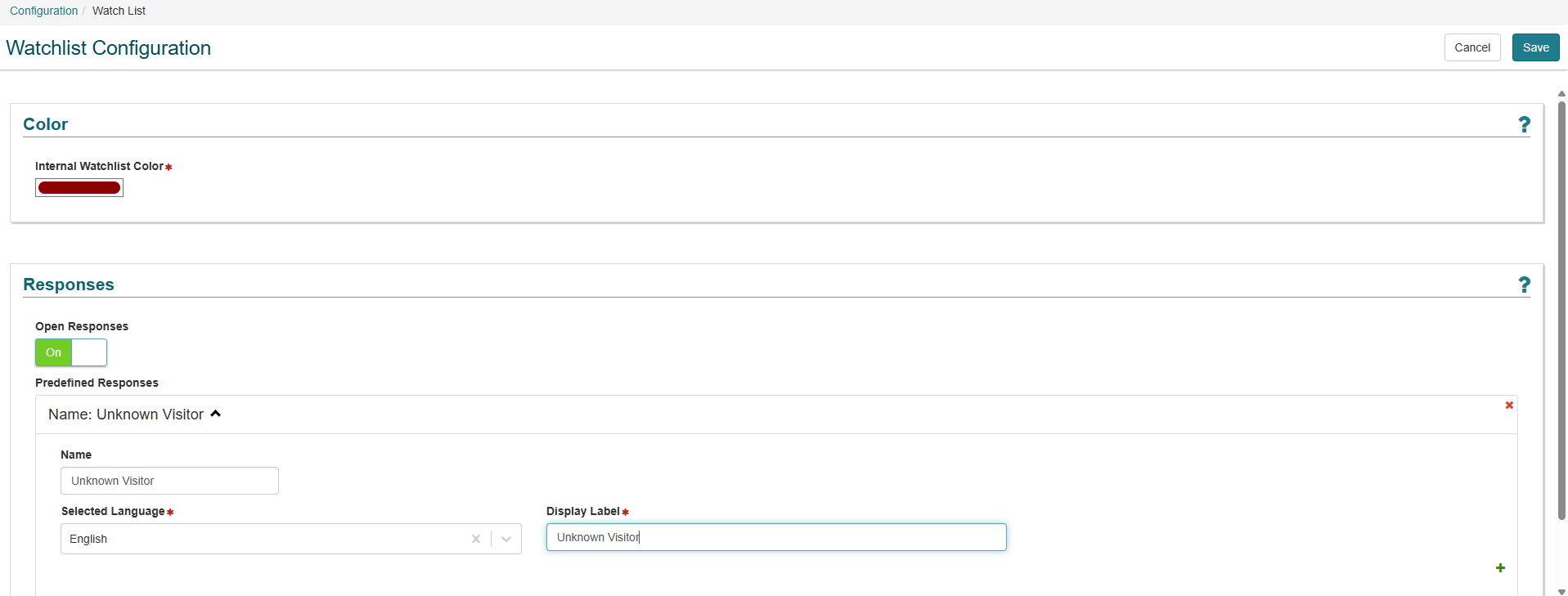
Watchlist Configuration Without 3rd Party Watchlist Enabled
This allows the user to make amendments to the Internal Watchlists configuration.
Internal Watchlist Color
Administrator can amend the color of the display notification panel in GUEST for a visitor that matches the internal watchlist.
Responses
The Receptionist in GUEST has the ability to check-in a Visitor even if they are flagged up as a potential watchlist match. Administrator can define how the Receptionist records their reasons for overriding the Potential Watch List Match.
Open Responses: Administrator can enable or disable the ability for a receptionist to enter their own reasons in free-form text when checking in a potential watchlist match. Default is ON and Administrator cannot switch it OFF unless there are Predefined Responses already configured. Administrator can choose to leave Open Responses ON even if Predefined Responses are configured on the system.
Predefined Responses: Administrator can configure pre-defined responses for the receptionists to use when checking in a watchlist match. They enter multiple responses by pressing the + icon after each completed response. User enters:
Name of Response: A meaningful name given to the response.
Selected Language: English or Spanish by default - user can press the + icon to display the response in both languages simultaneously.
Display Label: The text that will be displayed to the GUEST user.
Watchlist Configuration With 3rd Party Watchlist Enabled
This allows the user to make amendments to the External Watchlists configuration.
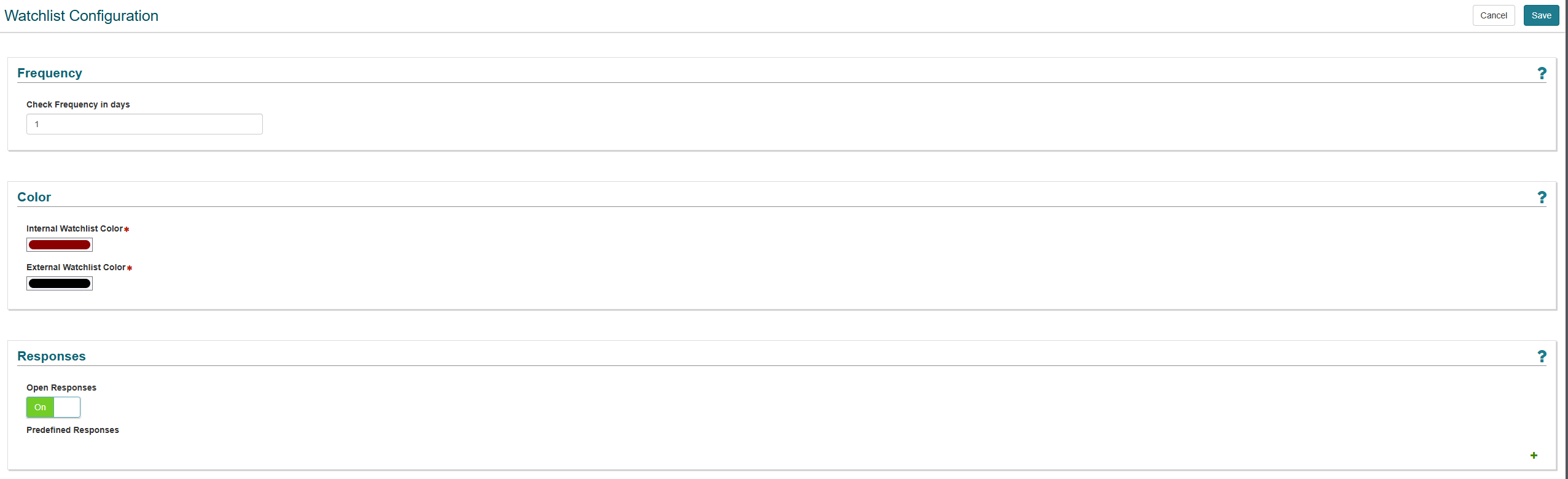
Frequency
This is the number of days before another call/poll will be made to the configured 3rd Party Watchlist API to retrieve the most up-to-date results. Once results are retrieved, they are stored so all visitors can still be checked against the watchlist without making any unnecessary calls/polls. Setting Frequency to 0 means a call/poll is made to the 3rd Party Watchlist to retrieve up-to-date results every time a visit is checked in
Internal Watchlist Color
This allows the user to make amendments to the Internal Watchlists configuration.
External Watchlist Color
This allows the user to make amendments to the External Watchlists configuration.
Responses
The Receptionist in GUEST has the ability to check-in a Visitor even if they are flagged up as a potential watchlist match. Administrator can define how the Receptionist records their reasons for overriding the Potential Watch List Match.
Open Responses: Administrator can enable or disable the ability for a receptionist to enter their own reasons in free-form text when checking in a potential watchlist match. Default is ON and Administrator cannot switch it OFF unless there are Predefined Responses already configured. Administrator can choose to leave Open Responses ON even if Predefined Responses are configured on the system.
Predefined Responses: Administrator can configure pre-defined responses for the receptionists to use when checking in a watchlist match. They enter multiple responses by pressing the + icon after each completed response. User enters:
Name of Response: A meaningful name given to the response.
Selected Language: English or Spanish by default - user can press the + icon to display the response in both languages simultaneously.
Display Label: The text that will be displayed to the GUEST user.