2.0.0 Release Notes
Document Details | |
|---|---|
Document Issue Level: | 1.0 |
Document Issue Date: | Jan 12, 2026 |
Product Details | |
|---|---|
Product Description: | Symmetry IDM - CONNECT and GUEST |
Release Version: | 2.0.0 |
Introduction
This bulletin provides an overview of product improvements and an introduction to new features included in Symmetry CONNECT/GUEST/IDM for hosted and on-premise deployments.
Note
For Hosted customers, the planned deployment date will be communicated via the online status page. Please visit: Symmetry Identity Management (IDM) Status
Private Cloud Customers, please access your dedicated status page.
Important Deployment Information
For general deployment guidance, please refer to the Connect and Guest Deployment Guide (Issue 1.75.0)
On-Premise Deployments:
For Customers Upgrading from versions earlier than 1.71.0, upgrade to 1.71.0 before upgrading to this release.
This release requires additional rollback steps.
DELETE
FROM [logging].[dbo].[amag_bash_scripts]
WHERE [name] = '01.094.CopyCacIdentityCredentialsToIdm.sh'
Symmetry Integration Client:
The AMAG.Symmetry.Client has been updated to version 7.29.0.1866. Certain new features or corrections will not be fully functional until the new client has been installed; any such items will be highlighted in the proceeding notes.
The Checksum for this Symmetry client is:
2f9253bf2703c6c9abf94b2da46fc2b177a4fb42eded43cae31ccfe60b41a910.
Warning
Customers who utilize firewalls for their Amag.Symmetry.Client will be required to update rules to allow TCP port 5671, 5672 and 443.
New / Changed Functionality
As part of our continued efforts to improve IDM, we are excited to release version 2.0.0 of our application. Below will list our key changes to our User interface:
CONNECT:
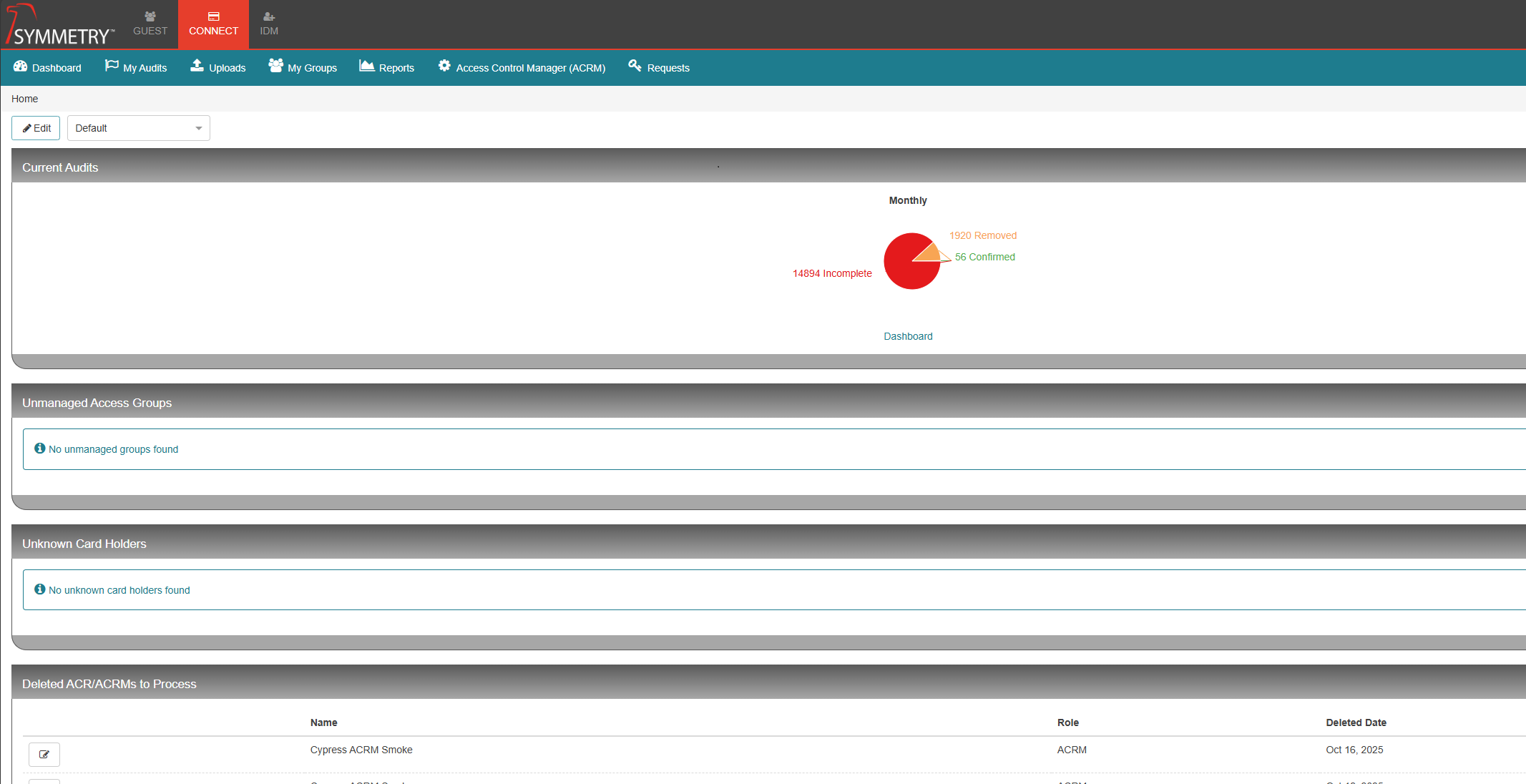
Identities list view, as well as Credential and Access Management has been removed from CONNECT and moved to IDM. The following features will remain in CONNECT:
Dashboard
Audits
My Groups
Uploads
CONNECT Reports
ACRM
Access / Credential Requests
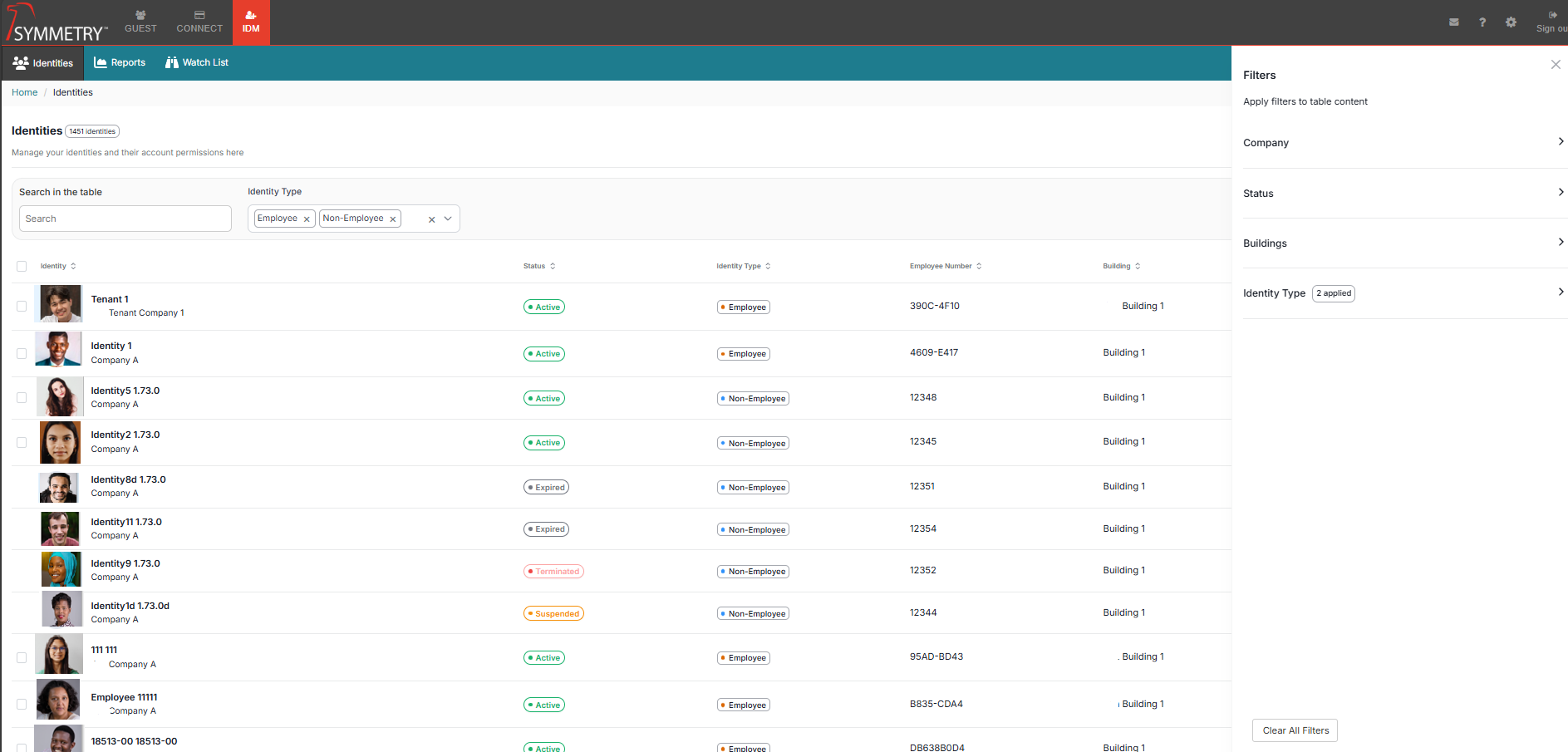
IDM Identities List
The major change has been to IDM. We have remodelled the Identities page, as well as the incorporation of Credential and Access Management. The new Identities view provides a clearer and more streamlined picture of Identities and has incorporated the same components as CONNECT for quick and easy access to Credential and Access Assignments.
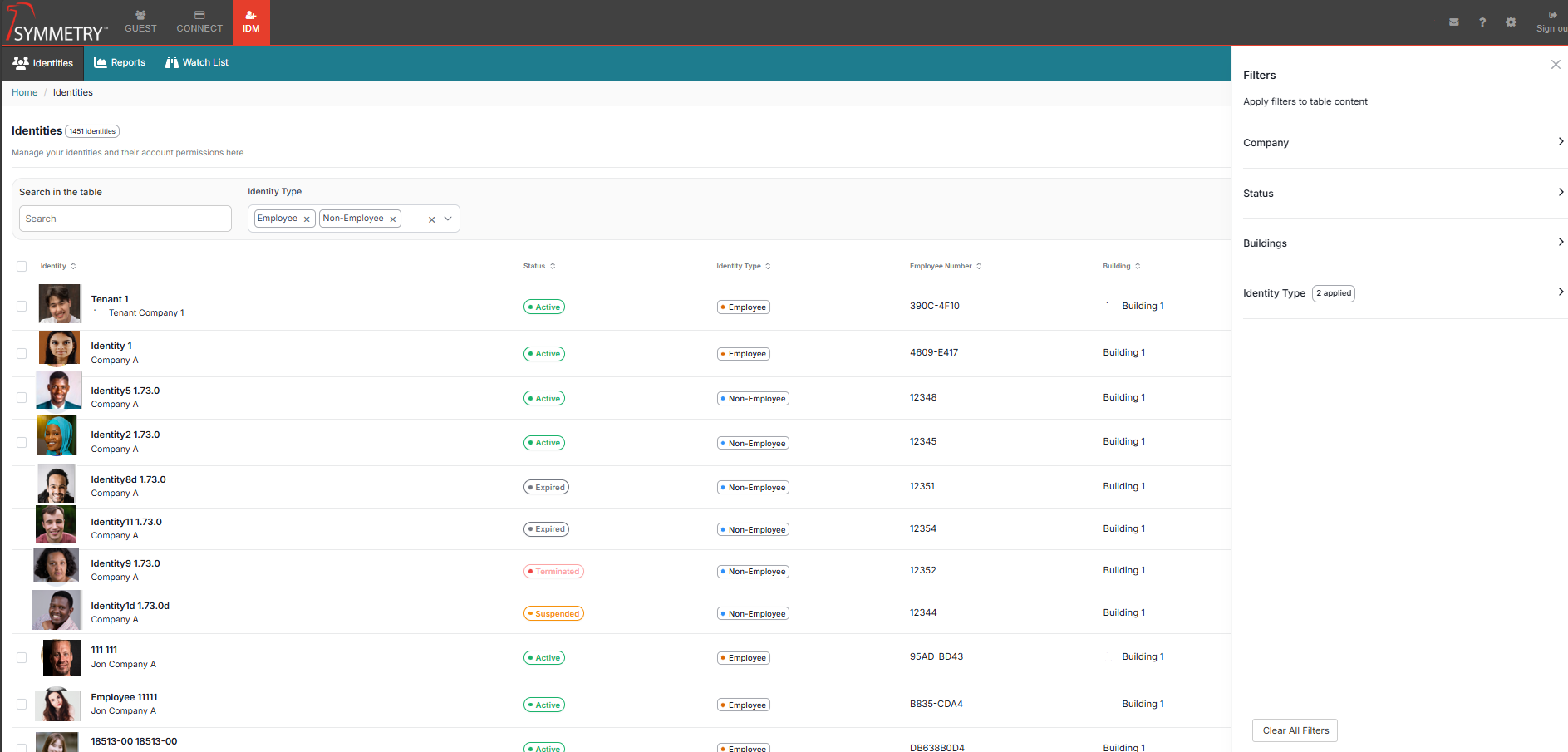
IDM Identities - Filters
The filters have been remodelled to be intuitive and consolidated. The new ‘More Filters' option provides a clean modal. The new filters component allows for a multi-select function with an active filter count, providing immediate feedback on selected filters. We have also provided a ‘Clear all filters option’ for a quick and easy function to clear all applied filters. The IDM application provides a total identities count in the upper left of the Identities modal as well as a filtered identity count on the right with another ‘Clear all Filters’ button outside of ‘More Filters’.
Consolidated Identities - IDM Identities - Quick Access / Credential Assignment
We have modernized the look of the user interface for quick Access and Credential Assignments from the Identities list. The functions have not changed; however, we have provided a more intuitive and uniform display.
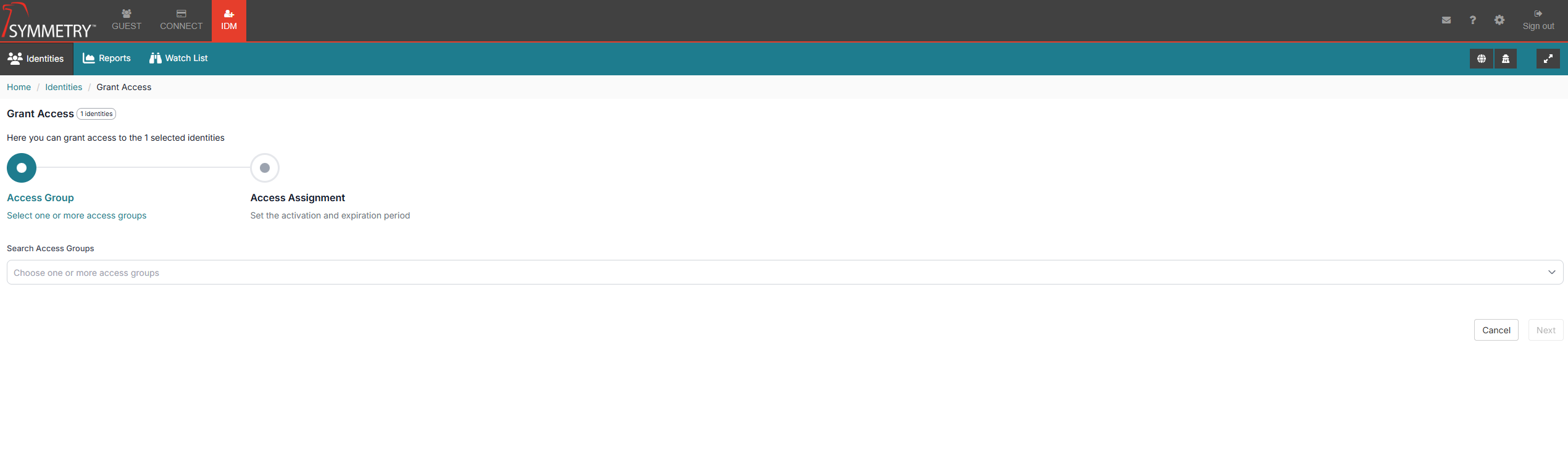
IDM Identities - Bulk Access Assignment / Delete
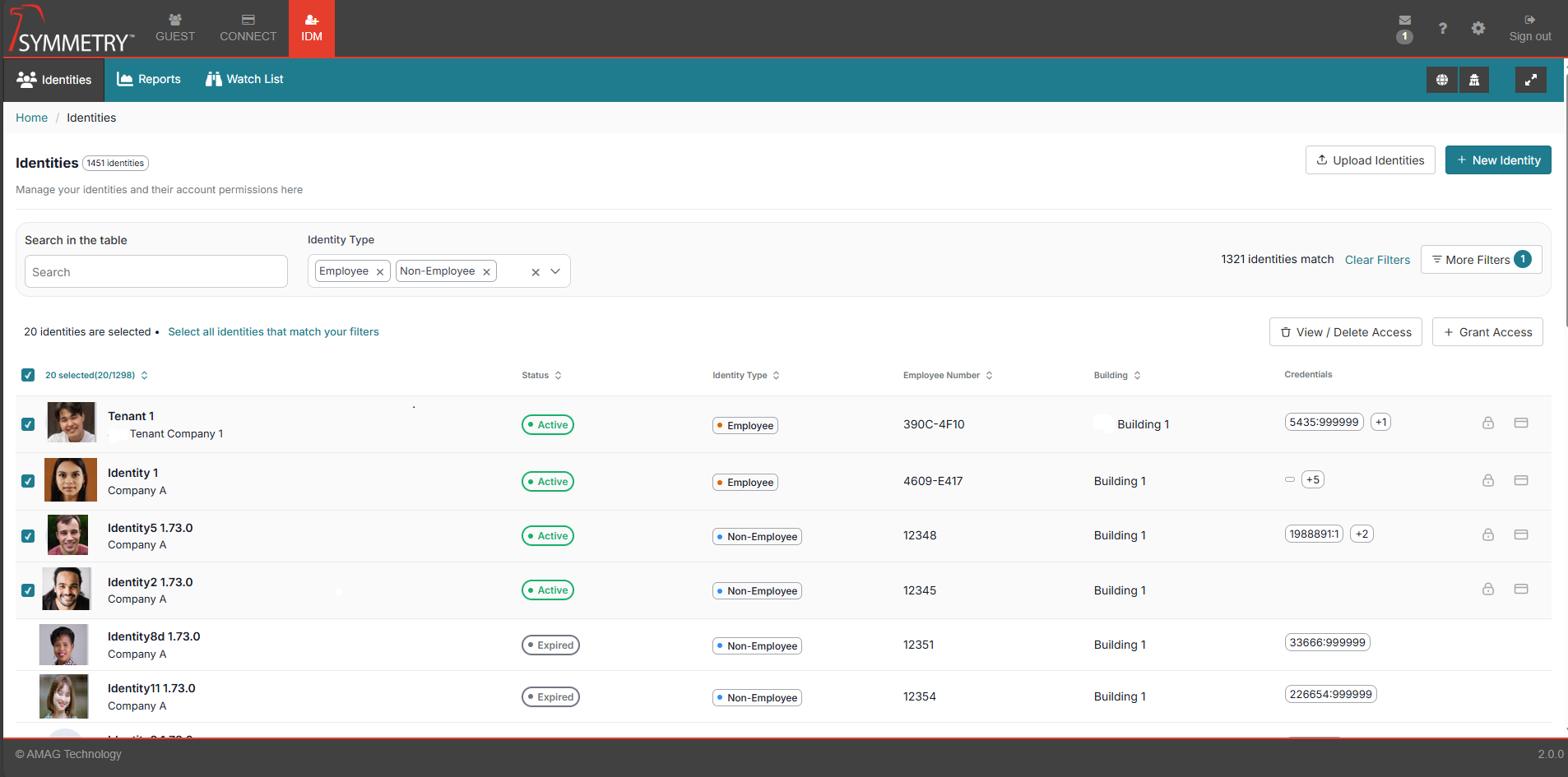
We have made changes to the Bulk Access Assignments within the new IDM Identities page. Now, with the incorporation of Access Management in IDM, we have modernized the Interface accordingly.
Identity Multi-Select
The added ability to multi-select Identities from the Identities list, with the additional ability to select all records matching any applied filters.
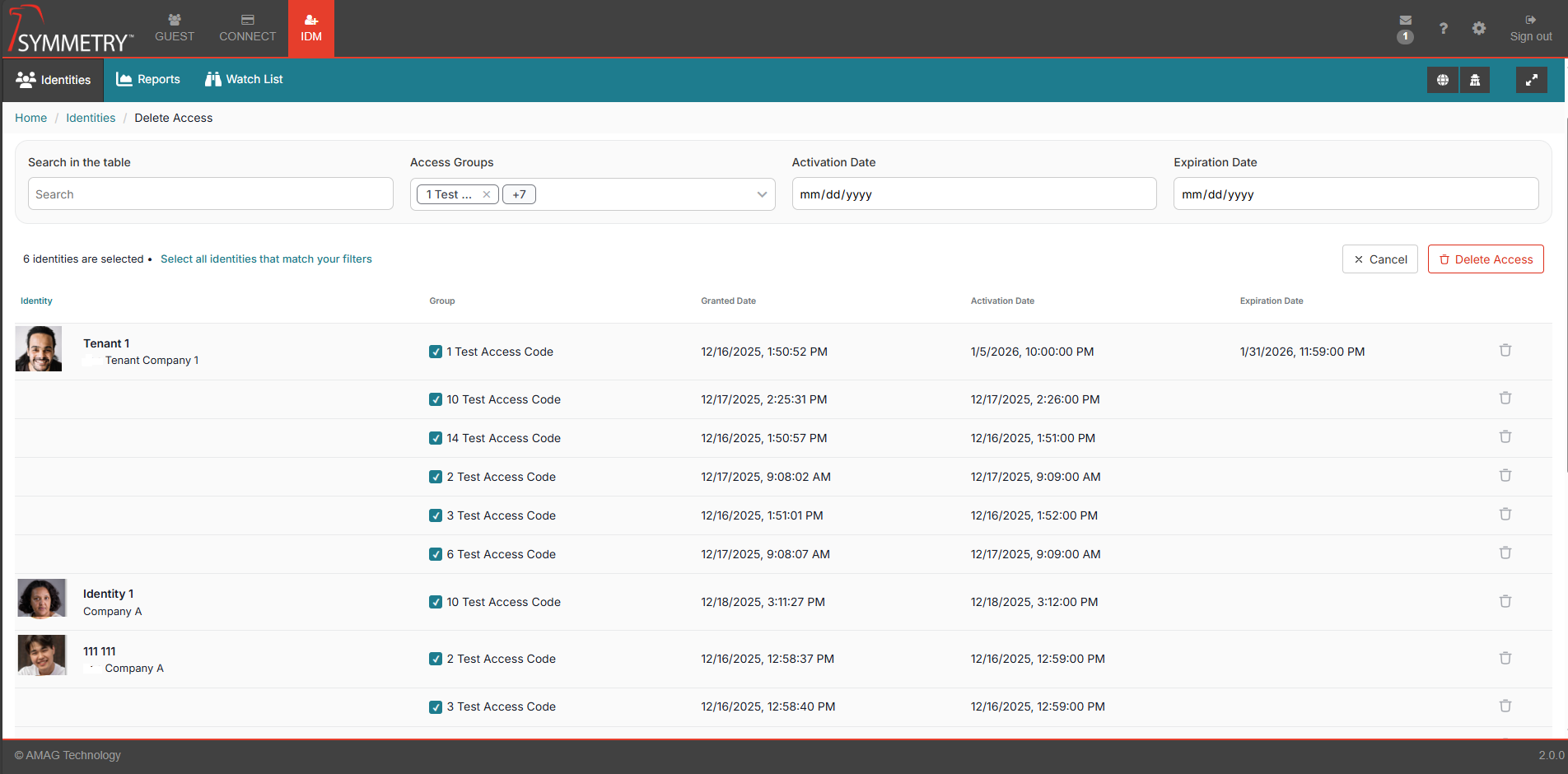
View / Delete Access
Selecting the View / Delete Access button will redirect to a new page where users can refine a selection of Access to remove from a filtered results set. We have provided greater filtering options to refine the Selection by Identity Search, Access Group, Activation Date and Expiration with options in the dropdowns and on the Identities themselves.
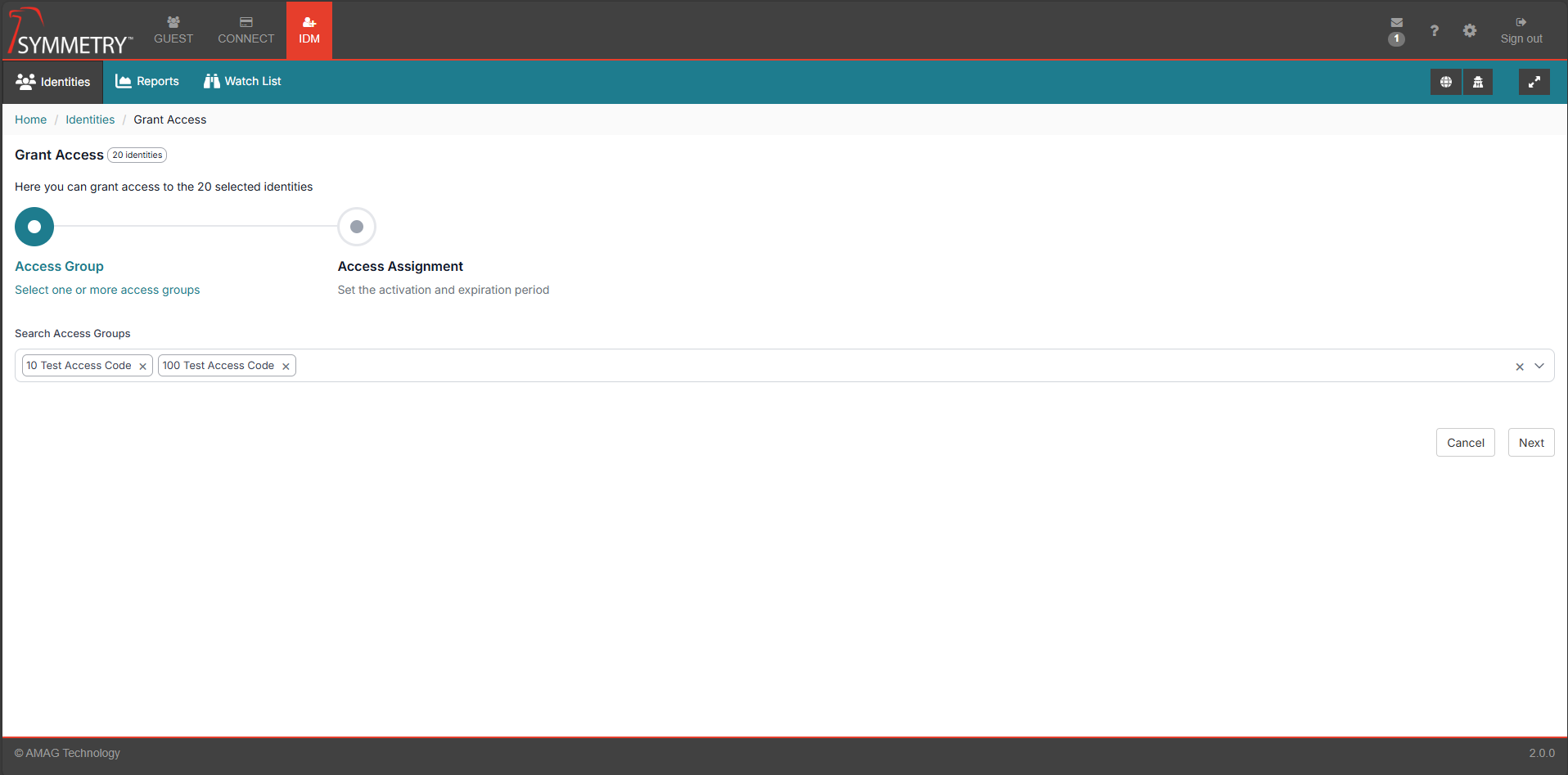
Grant Access
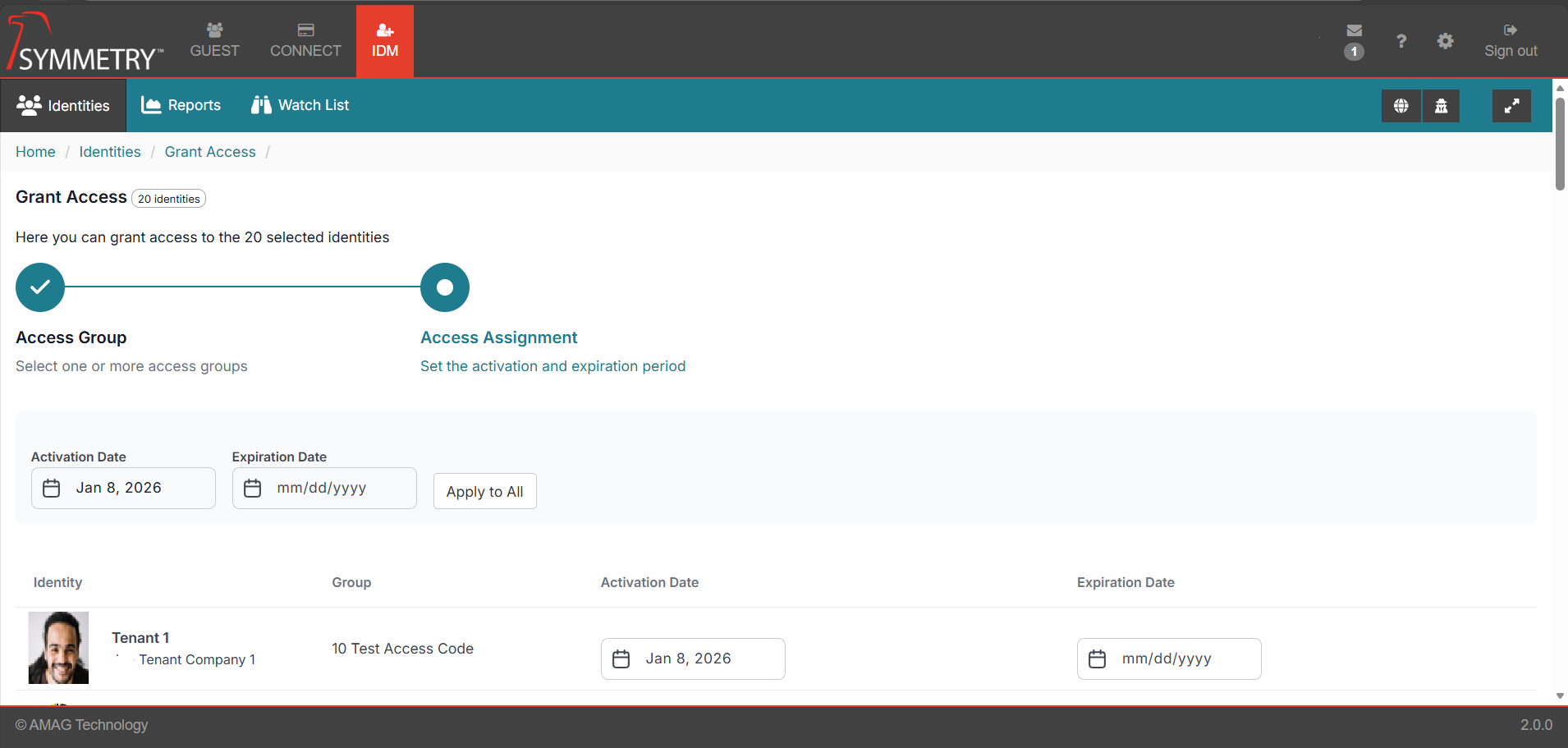
Selecting 'Grant Access' will navigate to an Access Group selection page. Users can multi-select Access Groups from the dropdown to apply to the Bulk Access Assignment.
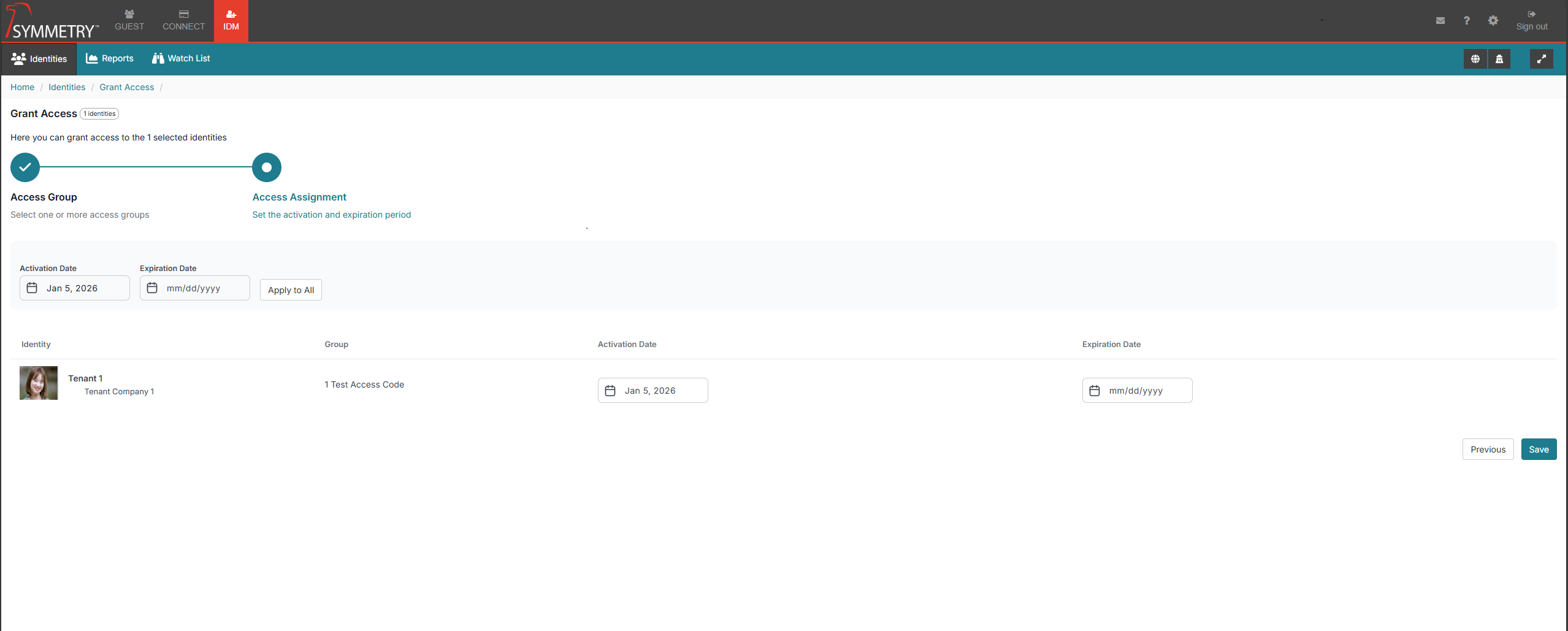
Once selected, users will be presented with an Identity list where either an ‘apply to all’ function with Activation / Expiration ranges will apply to all identities. or individual application of Activation and Expiration per identity.
IDM Identities - Identity Details
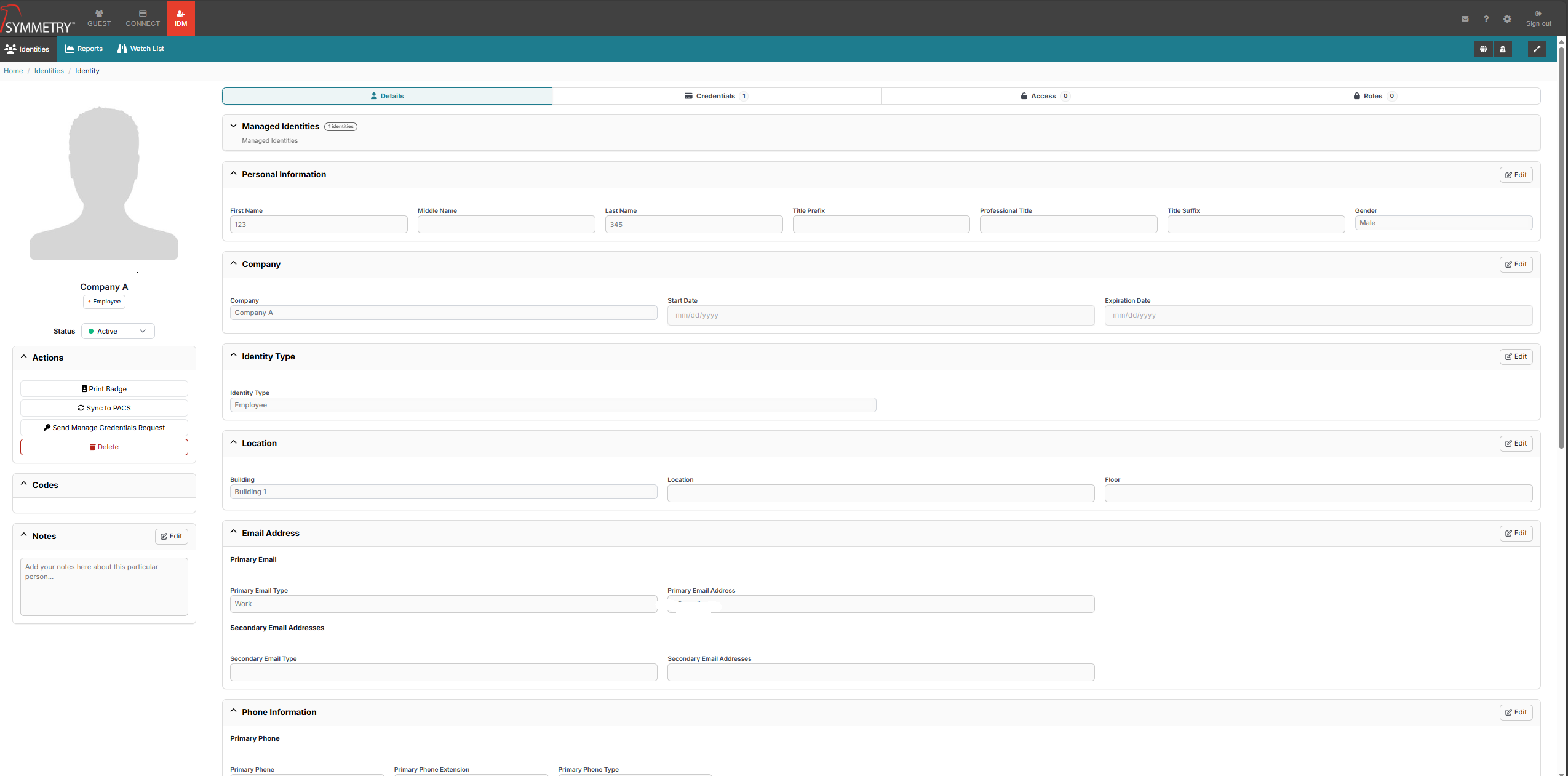
Major changes have been made to Identity Details. Firstly, Identity information has been modularized by criteria, making it easier to edit and display identity data as required. In addition, ancillary features previously available in CONNECT Identities have been migrated, including:
Print Badge
Sync to PACS
Pin/IDS Code Management
Notes
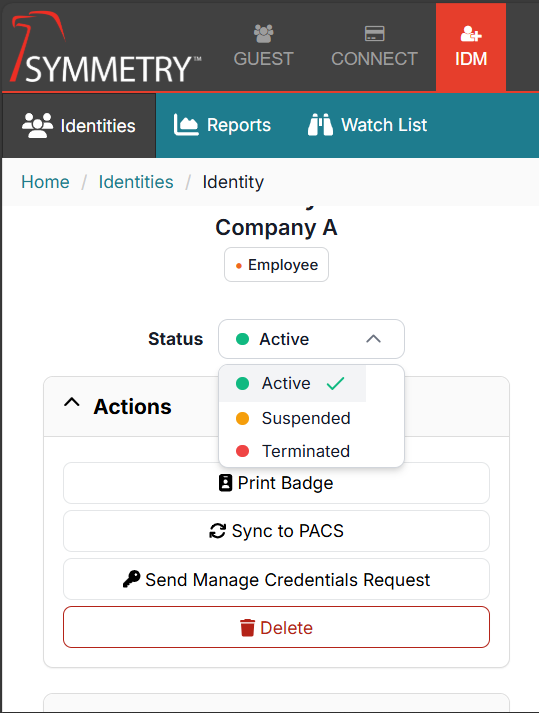
There is also the allowed allocation for quicker access to see and manage the status of an Identity. From the Identity Details page, users can quickly set the status of an Identity (Active/Suspend/Terminate). Furthermore, quicker access has been provided for users to send Web Credential requests and for administrators to delete identities within the Actions section.
Identity Expiration
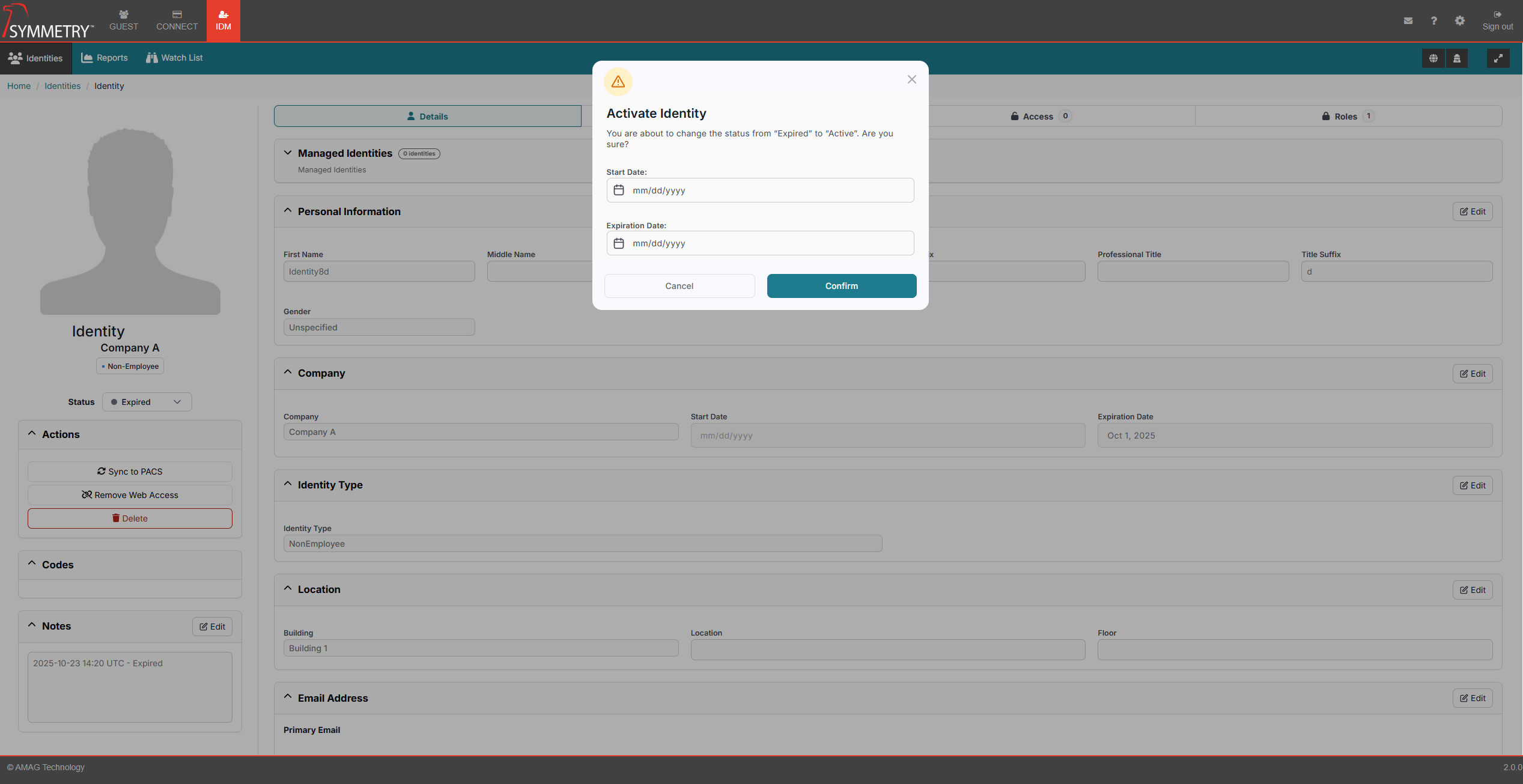
There has been an enhancement to the function of un-expiring an identity. They can still re-activate the Identity by removing the Expiration Date (or setting it to a date in the future) within the ‘Company’ section. But now they can also use the identity Status dropdown. Selecting the ‘Active’ status from the dropdown list will present the user with a modal allowing them to re-input any updated Activation or Expiration Date as necessary.
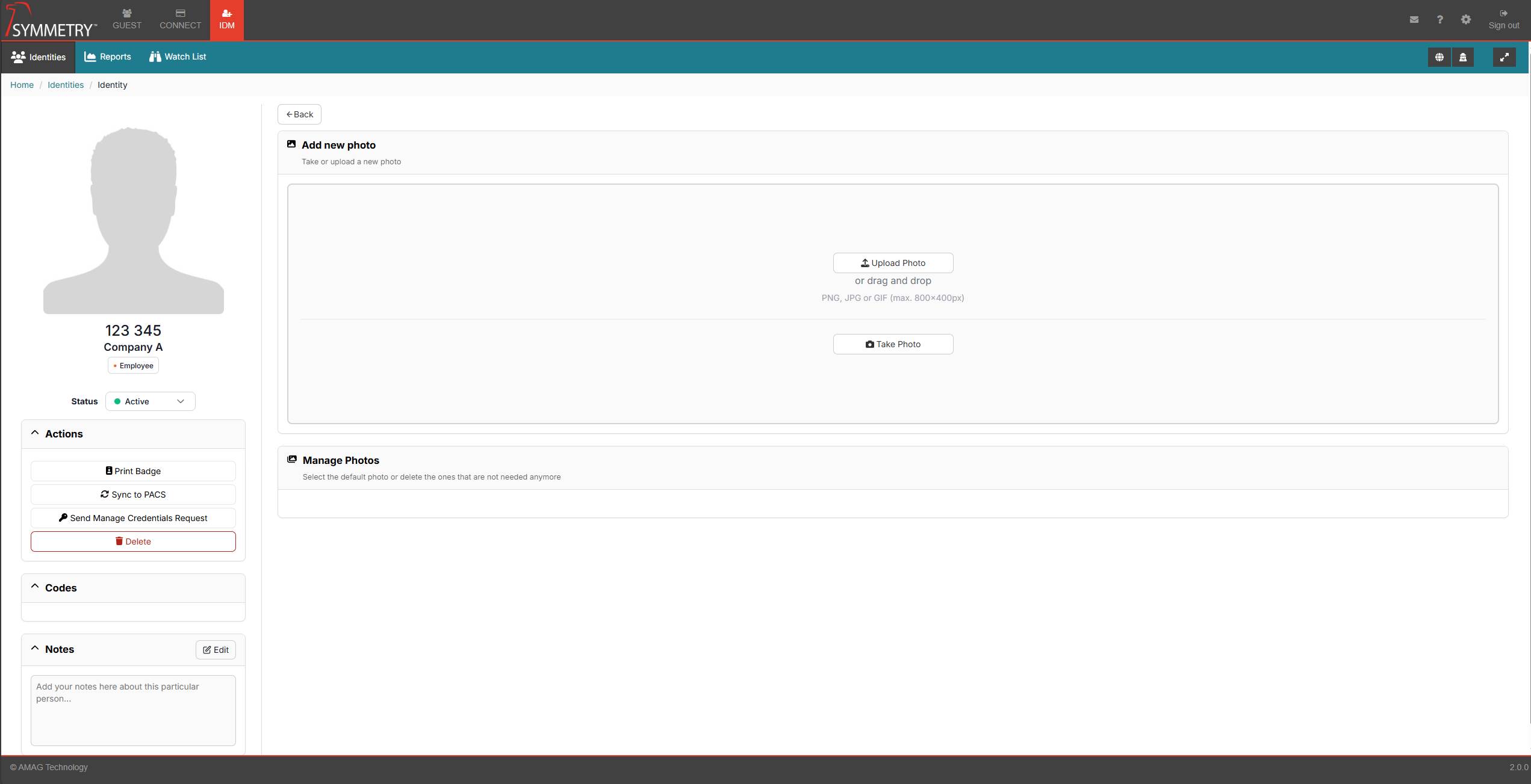
Identity Photos
Significant improvements have been made to the management of Identity Photos. Users can now hover over the photo placeholder to reveal a new button that opens an updated modal, allowing photo image files to be uploaded, dragged and dropped, or captured using a camera.
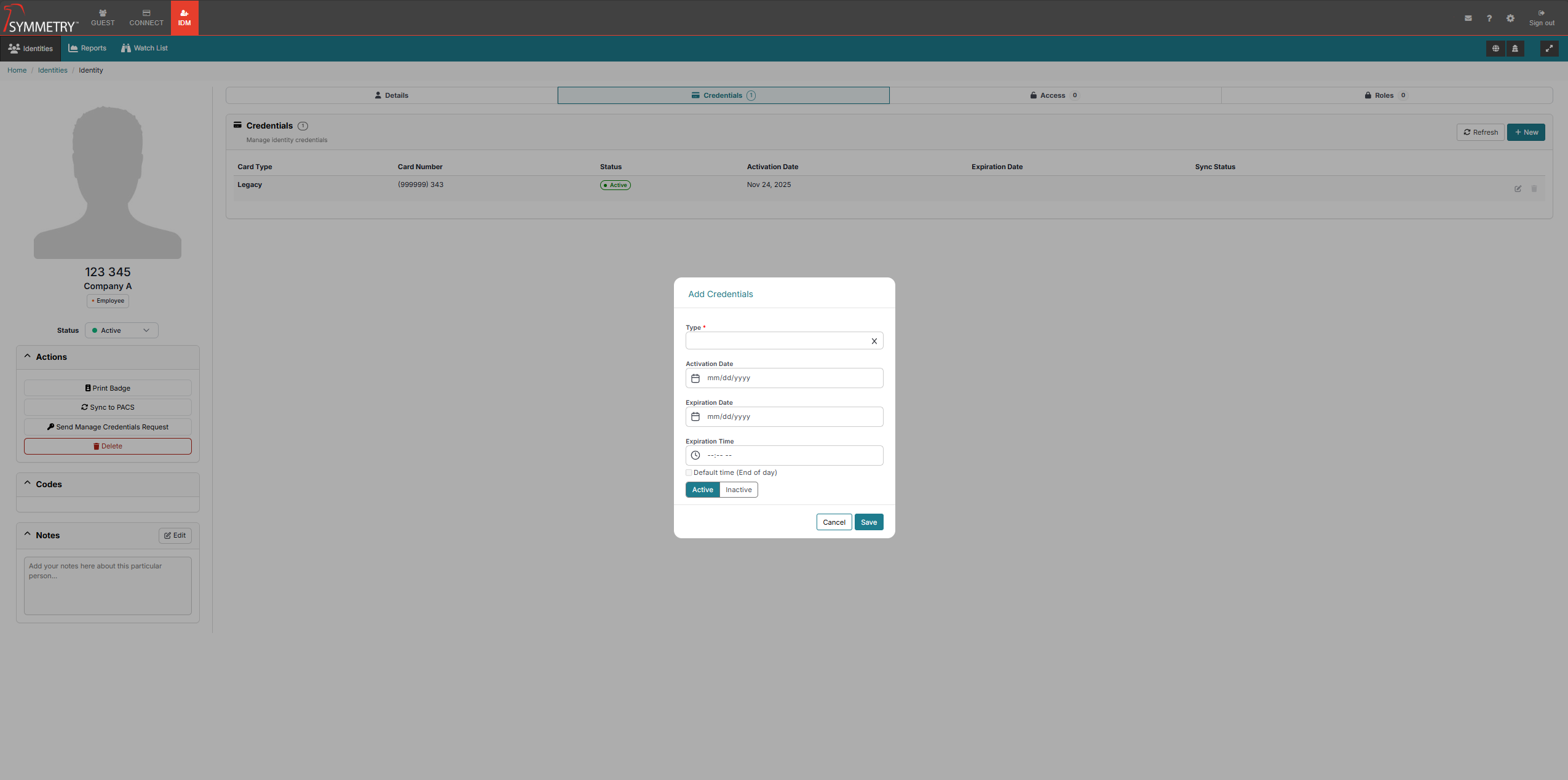
Access and Credential Management
A major change has been to migrate Credential and Access Management to IDM, allowing for management within a single application. All role-based permissions have been implemented across the new User Interface. All existing functions and features have been maintained.
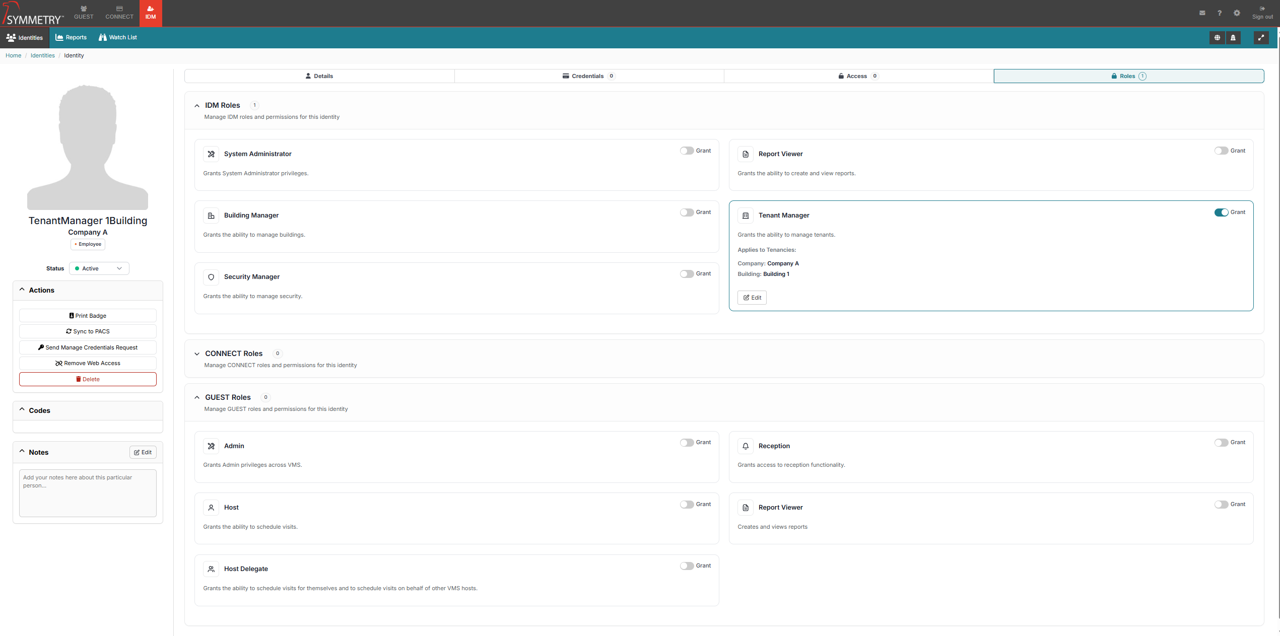
Consolidated Identities - IDM Identities - Roles
Rather than have Roles as a subsection of each module’s Configuration, users can now add/remove roles via each individual Identity in IDM. An individual’s module-based administrator role will determine which Roles can be applied.
Settings
To streamline module configuration management, a global administrative setting has been introduced, centralizing access to configurations for all modules based on administrator roles. The new Global Settings feature (Cog Icon) can be found in the upper-right corner of the user interface, next to the ‘Sign Out’ button.
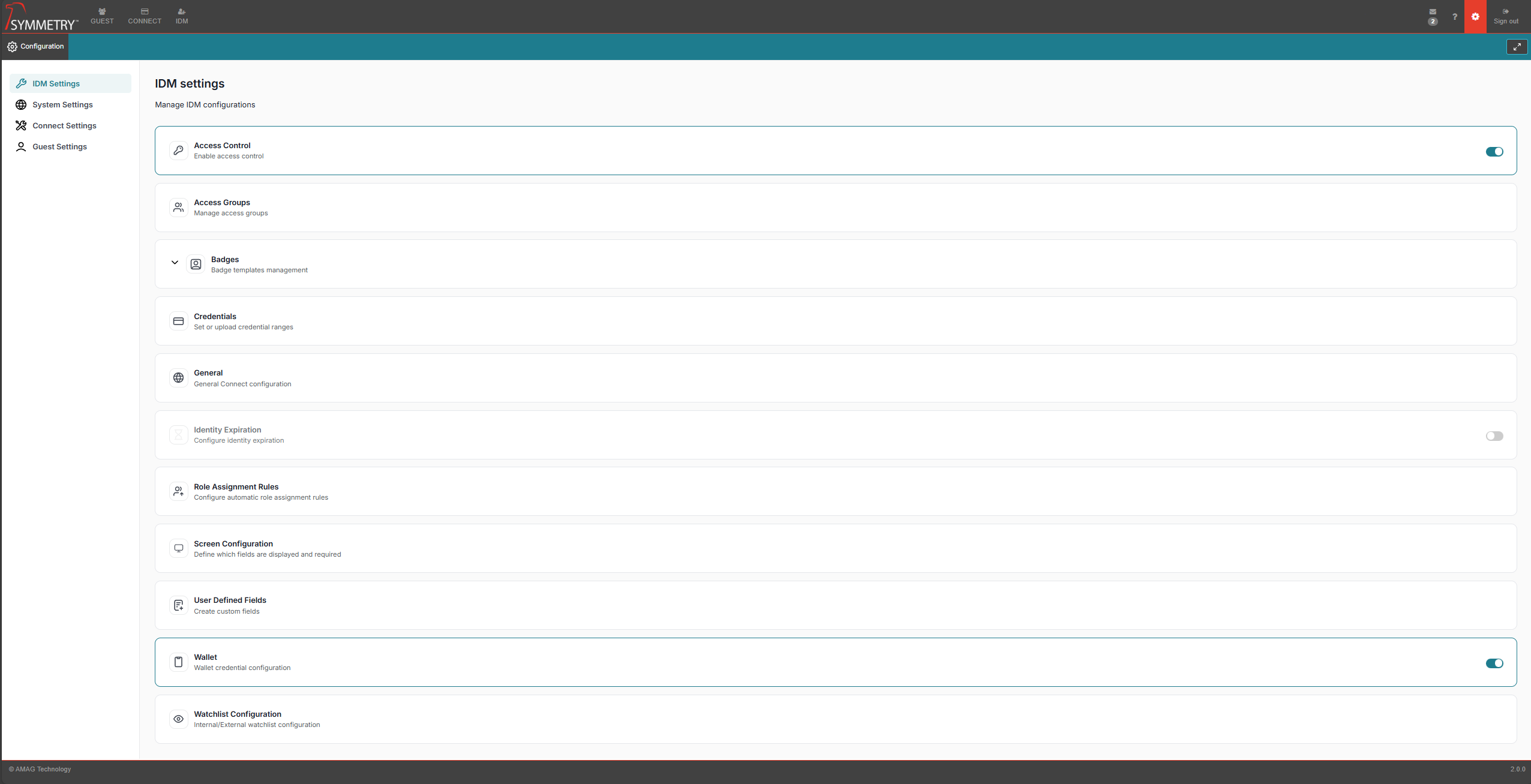
IDM Settings - To further align with the new Single Cardholder Page, CONNECT Settings pertaining to Access Control and Credentials have now moved into IDM Settings:
Access Control
Access Groups
Badges
Credential
General CONNECT Settings
Identity Expiration
Role Assignment Rules
Screen Configuration
User-Defined Fields
Wallet
Watchlist Configuration
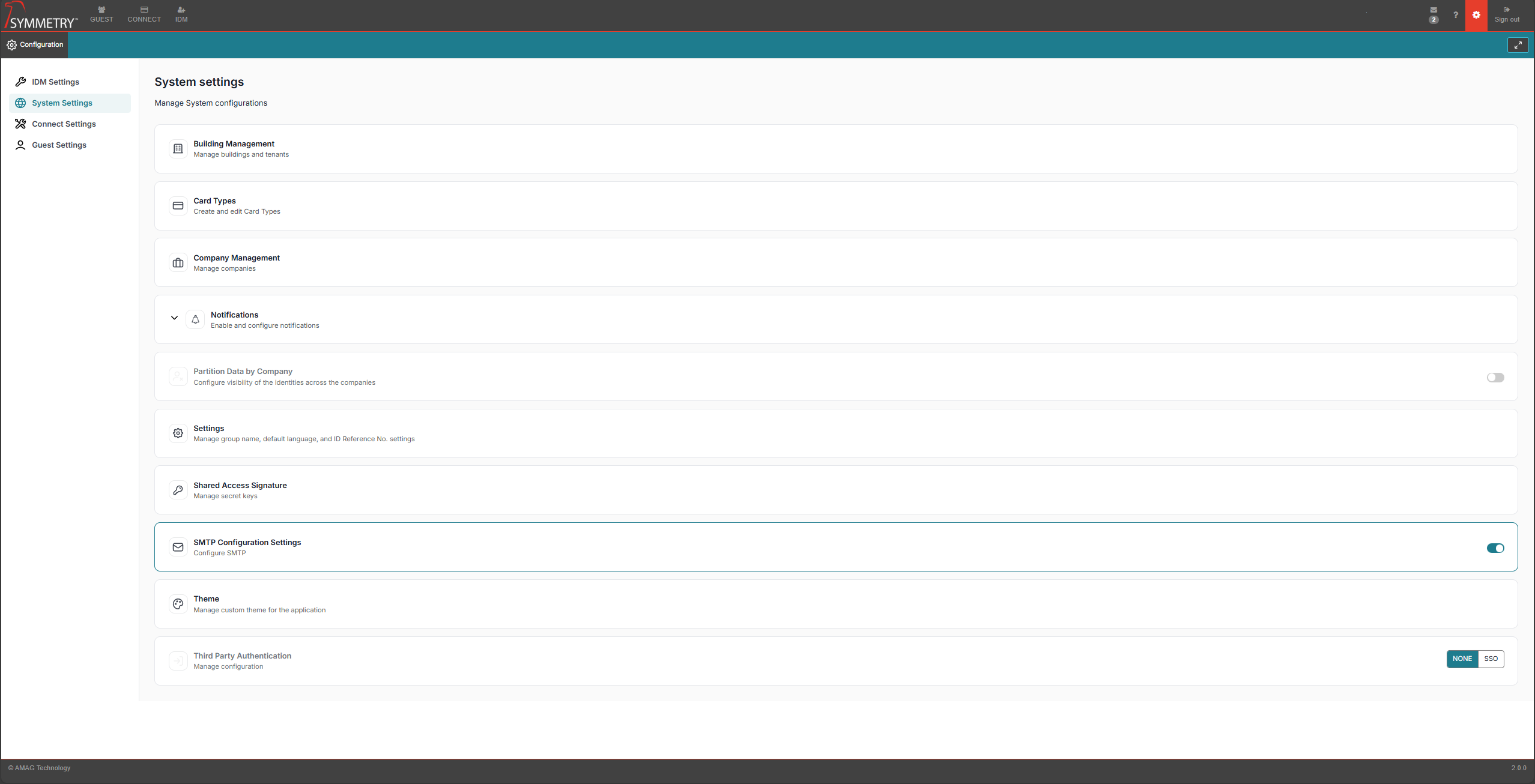
System settings - Non Module Specific Settings have now moved into a new Setting type of System Settings:
Building Management
Card Types
Company Management
Notifications
Partition Data by Company
Settings
Shared Access Signature
SMTP Configuration Settings
Theme Third Party Authentication
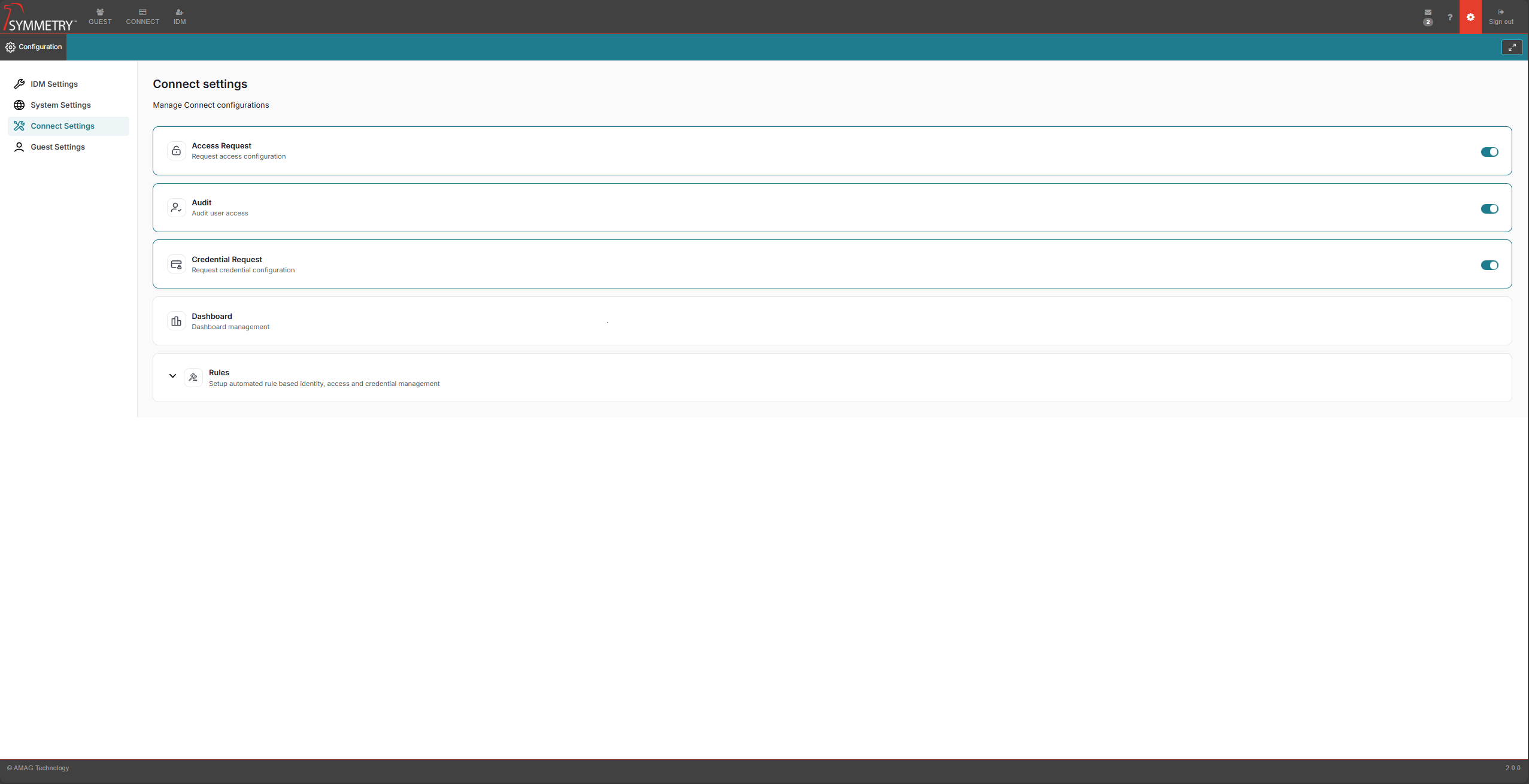
CONNECT Settings - Settings pertaining to the main features still present in CONNECT are managed under the CONNECT Settings:
Access Request
Audit
Credentail Request
Dashboard
Rules
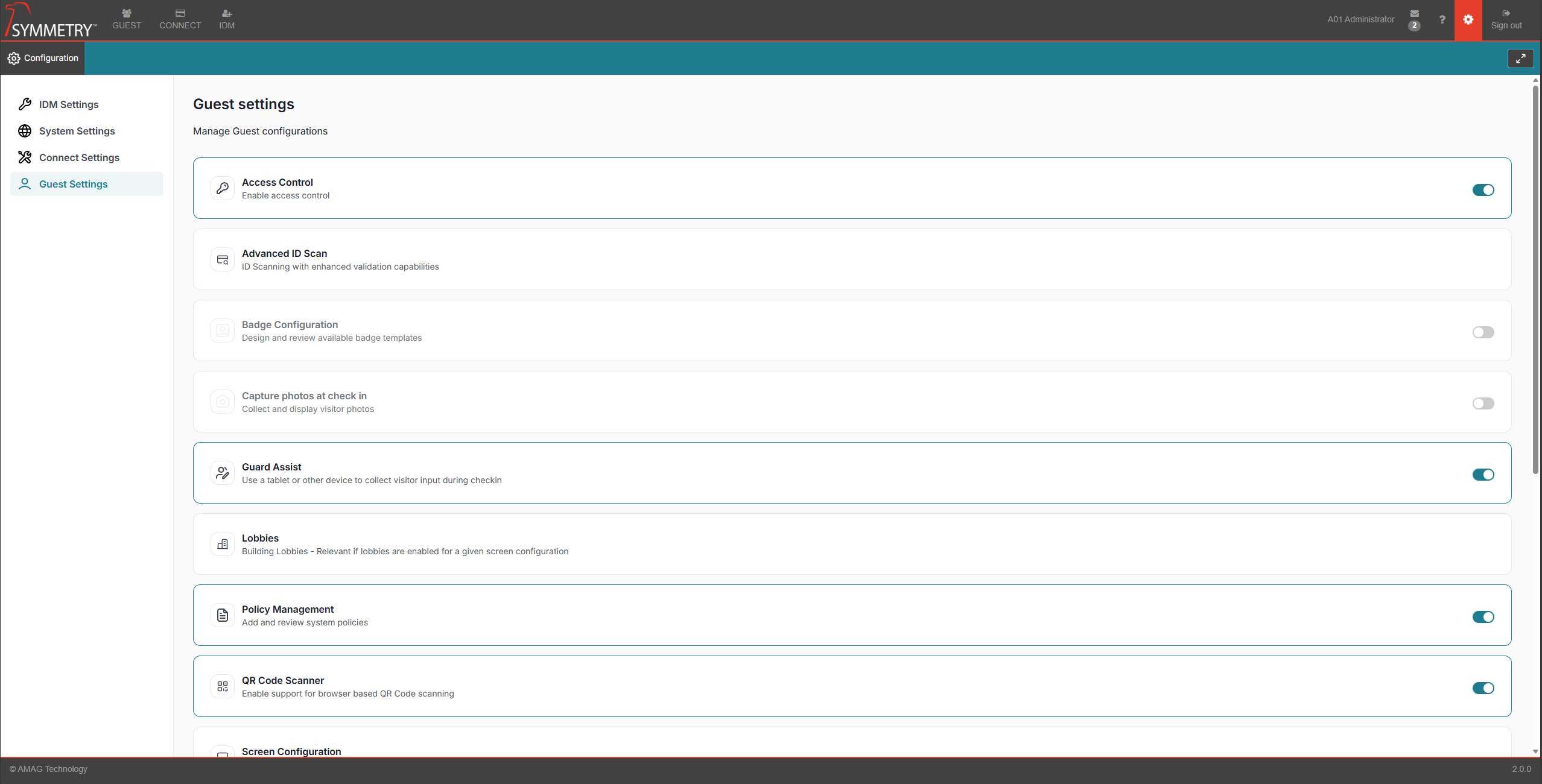
GUEST Settings - GUEST Settings have been migrated into the new global administrative settings.
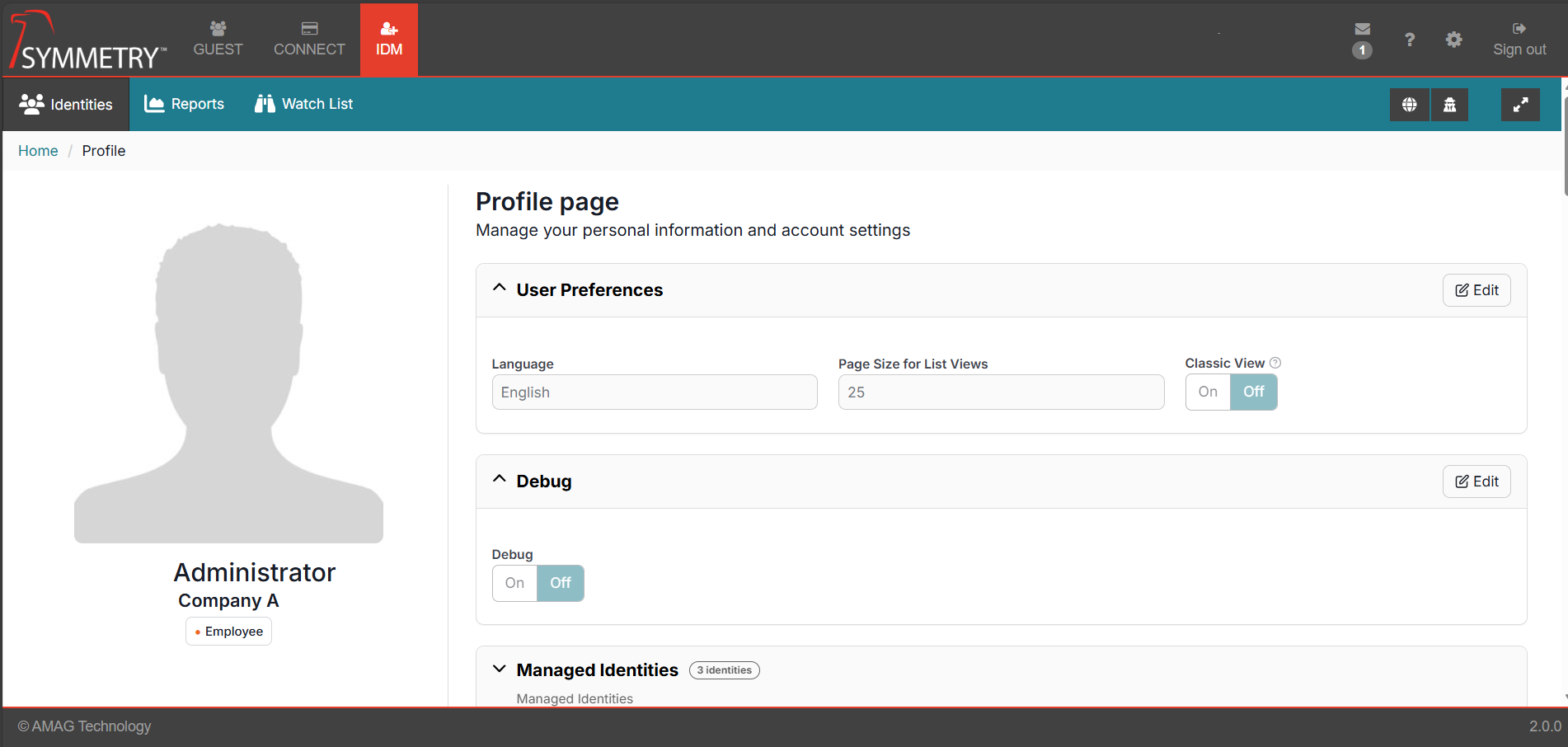
Reverting to Classic View
For a limited time, users can revert to the classic view of IDM. By navigating to the User Profile, the original display can be restored.
Key Issues Addressed
ZD226190 - An issue causing incorrect Sync Statuses on future assigned access has been resolved.
ZD228397 - An issue with the Native Kiosk Application crashing when attempting to take photos for an unknown Visitor has been resolved.
Note
Requires AMAG.Symmetry.Client V7.29.0.1862