Data Retention
Note
All data deleted (hard deleted) by the Data Retention process is non-recoverable and is completed instantly.
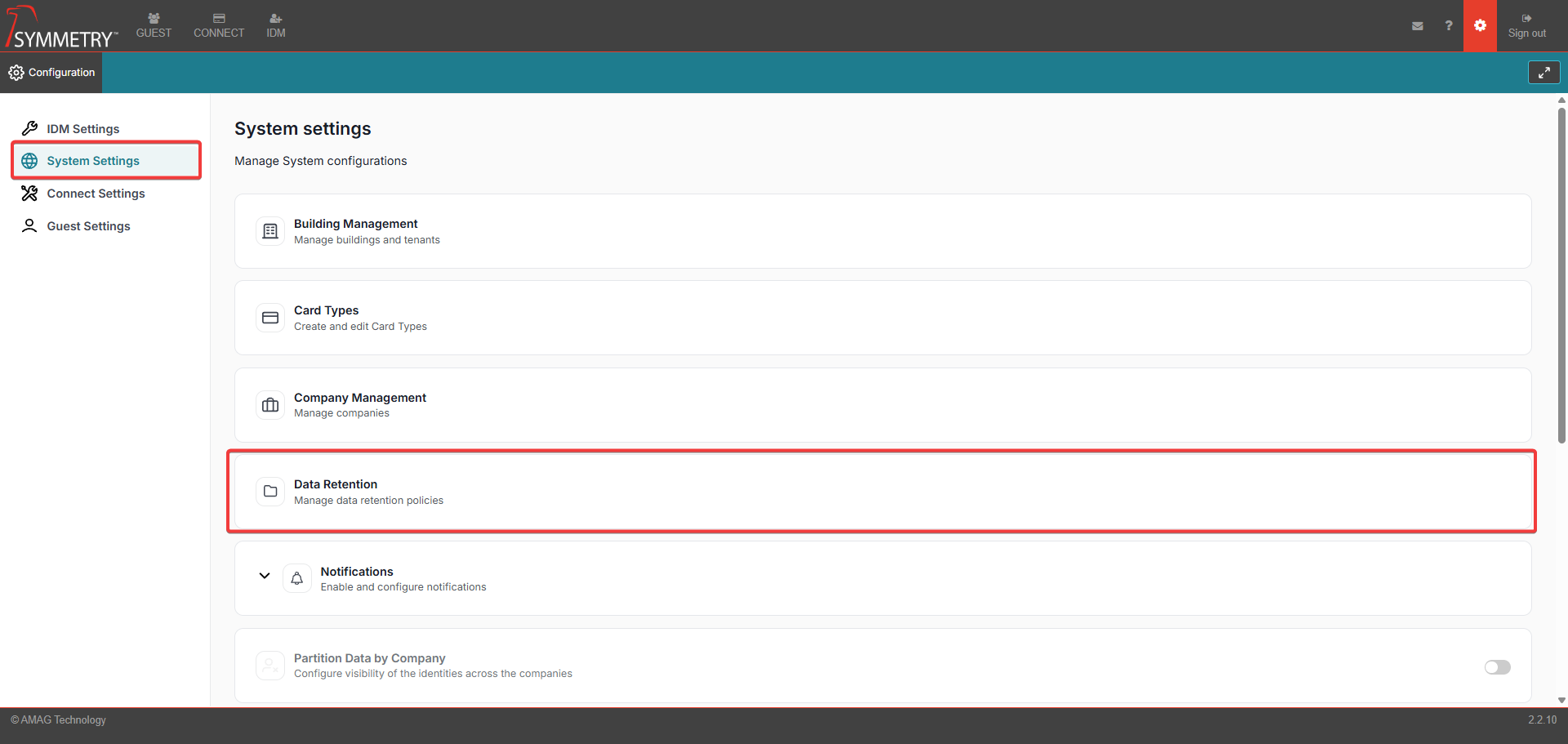
The Data Retention settings allow the user to control how identity-related data is managed and automatically removed/deleted over a set period of time.
The user can define retention periods for the following Identity Records:
Suspended identities
Terminated identities
Expired identities
Visitors
Once the configured retention period/time has elapsed, automatic data clean-up will begin. The system will automatically remove records based on the configured retention policies:
Note
The automatic clean-up process will commence nightly. It will automatically check for eligibility and delete identities if required (if within the data retention parameters).
Suspended Identities
Removed after remaining in a suspended state for the defined period.
Terminated Identities
Removed after continuous termination for the configured duration.
Expired Identities
Removed after remaining expired for the configured duration.
Visitors
Removed if inactive, with no past or upcoming visits, for the configured period.
Identity Upload Lists
Automatically deleted after 1 month.
Audit and Logging- All retention-related actions are fully tracked for transparency and compliance:
Each deletion is logged with:
Timestamp
Identity ID
Action Type (delete)
Initiator (system or user)
Deletions are recorded in the Identity Audit Report, clearly indicating when records are removed due to retention policies. Refer to the Identity Audit Report section for further information.
Compliance - All processes support key regulatory standards, including:
SOC 2
GDPR
HIPAA
Data Retention Configuration
Note
The default setting for all configurable fields is 6 Years.
Note
The maximum retention period that can be configured is 6 Years.
The minimum retention period that can be configured is 1 Month.
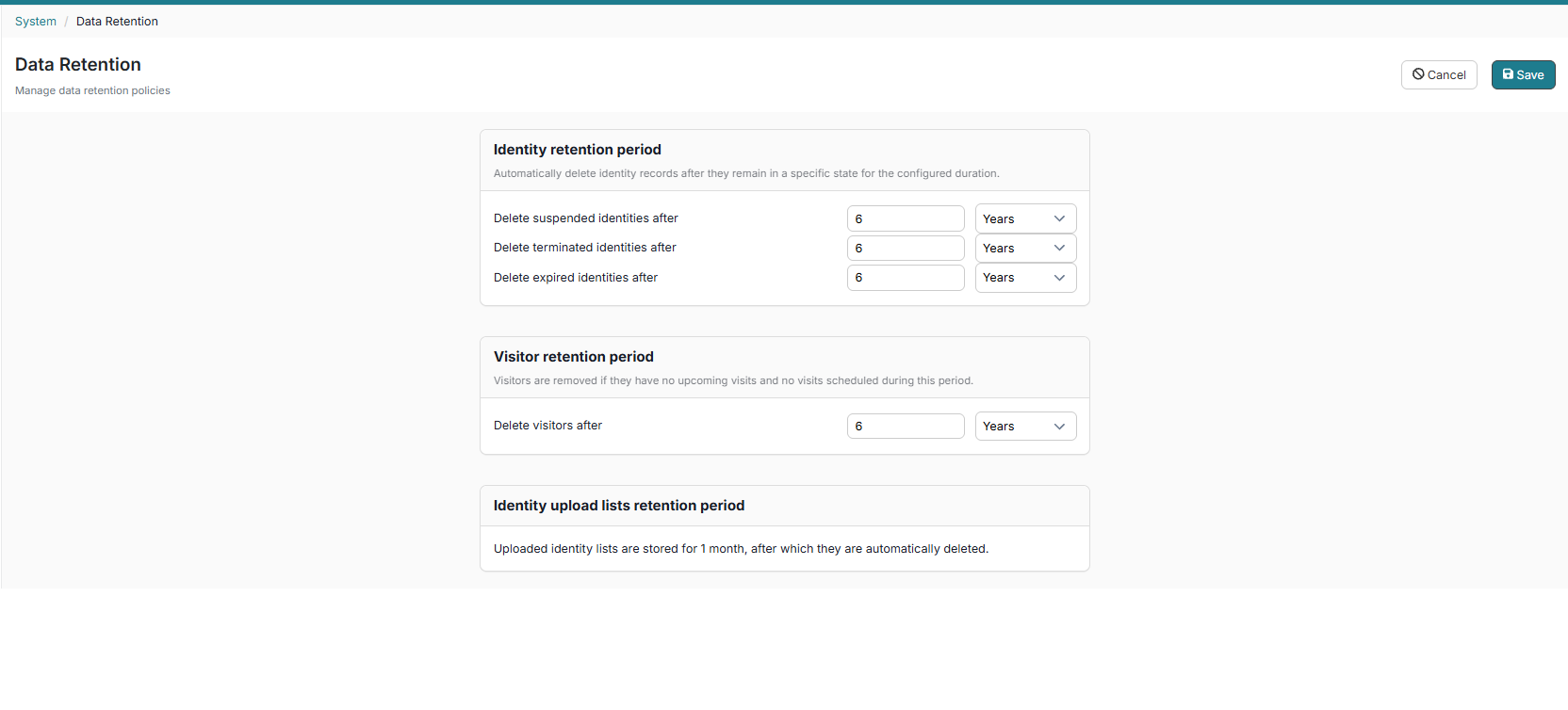
Identity retention period
This section is responsible for automatically deleting Identity records after they remain in a specific state for the configured duration.
Delete suspended identities after: Configure the retention period (between the time ranges of 1 month and 6 years) before suspended identities data gets automatically deleted.
Delete terminated identities after: Configure the retention period (between the time ranges of 1 month and 6 years) before terminated identities data gets automatically deleted.
Delete expired identities after: Configure the retention period (between the time ranges of 1 month and 6 years) before expired identities data gets automatically deleted.
Visitor retention period
This section is responsible for automatically removing/deleting Visitors if they have no upcoming visits and no visits scheduled during this period.
Delete visitors after: Configure the retention period (between the time ranges of 1 month and 6 years) before visitor data gets automatically deleted.
Identity upload lists retention period
Uploaded identity lists are stored for 1 month, after which they are automatically deleted.