2.3.10 Release Notes
Document Details | |
|---|---|
Document Issue Level: | 1.0 |
Document Issue Date: | Jul 2, 2026 |
Product Details | |
|---|---|
Product Description: | Symmetry IDM - CONNECT and GUEST |
Release Version: | 2.3.10 |
Introduction
This bulletin provides an overview of product improvements and an introduction to new features included in Symmetry CONNECT/GUEST/IDM for hosted and on-premise deployments.
Note
For Hosted customers, the planned deployment date will be communicated via the online status page. Please visit: Symmetry Identity Management (IDM) Status
Private Cloud Customers, please access your dedicated status page.
Important Deployment Information
For general deployment guidance, please refer to the Connect and Guest Deployment Guide (Issue 1.75.0)
On-Premise Deployments:
Warning
Customers will not be able to take this Release until they are prepared to migrate to Kubernetes and PostgreSQL
Warning
This release requires additional rollback steps.
This release is irreversible unless a full system and database backup is applied.
Symmetry Integration Client:
The AMAG.Symmetry.Client has been updated to version 8.1.0.1999. Certain new features or corrections will not be fully functional until the new client has been installed; any such items will be highlighted in the proceeding notes.
The Checksum for this Symmetry client is:
4ee124dd100bbc61f32ada449d2b5fb02b92903742b949443e521c2a68824ba0.
Warning
Customers who utilize firewalls for their Amag.Symmetry.Client will be required to update rules to allow TCP port 5671, 5672 & 443.
New / Changed Functionality
PostgreSQL Database Migration
There has been implemented a change in our core Database Architecture to PostgreSQL. This initiative follows the previous Release information to further improve the overall architecture of IDM.
Receptions ability to Search by Default Card Number
We have now added the ability for Receptionists to search by a Visit’s Card Number from the Reception screen.


Allowing for the setting of Non-Employee Expiration Dates
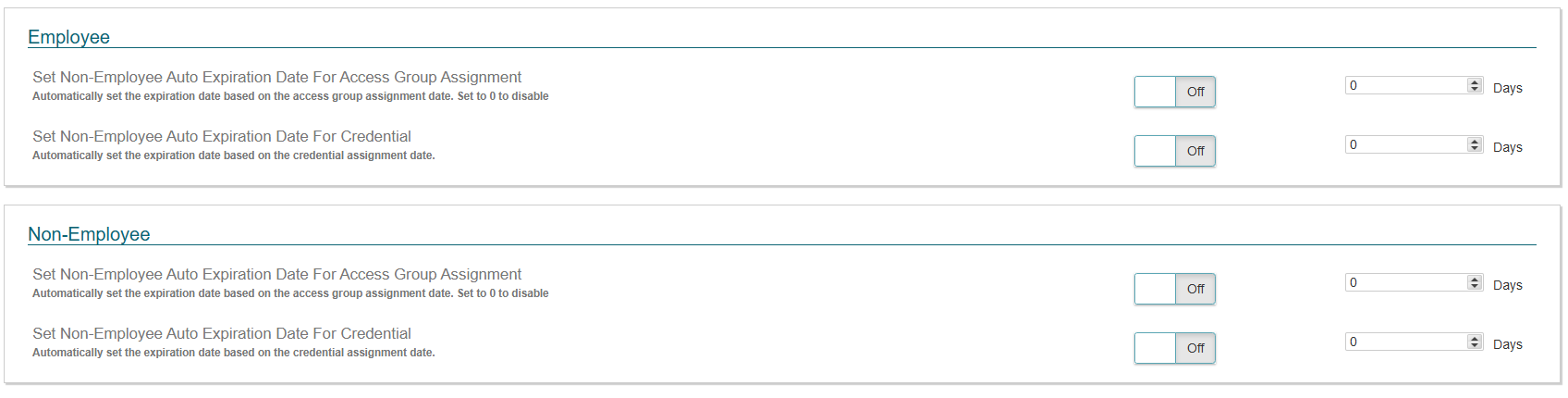
Users can now go to IDM → General Settings and set the default Access Code and Credential expiration date for Non-Employees.
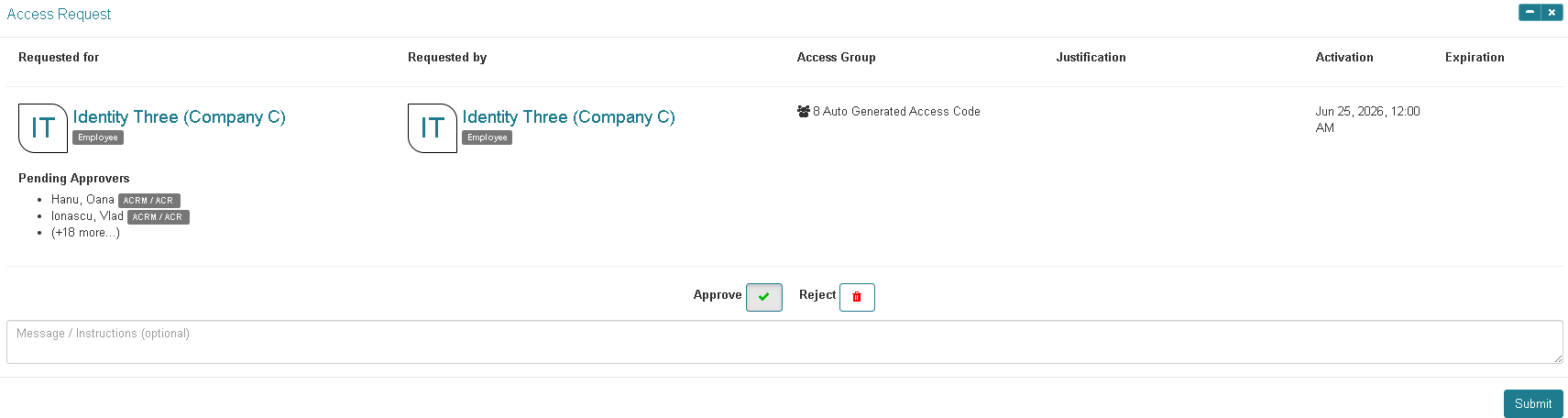
Ability to include a message\instructions when approving a request
In the same way, users can apply a reason for rejecting an Access request; users can now add a reason when approving the access request so that the ACR\ACRM can provide additional instructions to the requester.
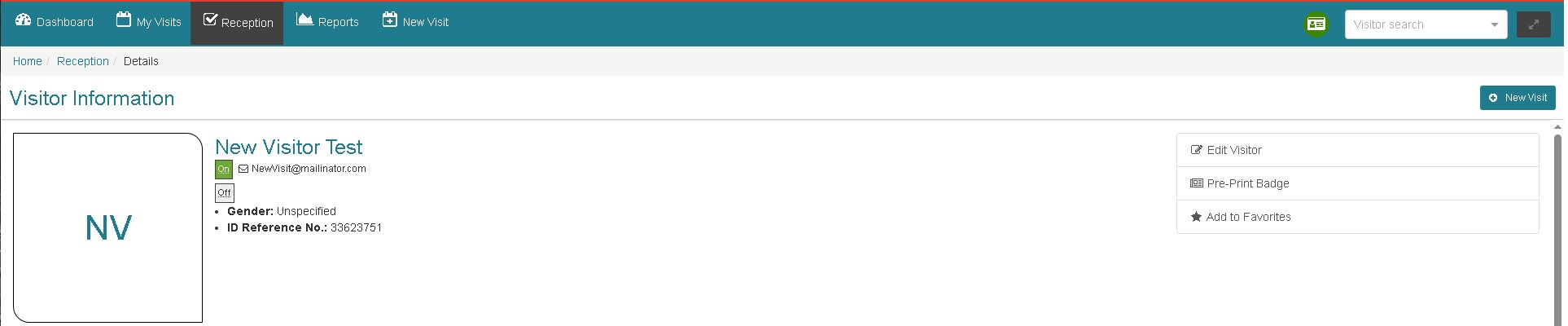
Ability to Pre-Print Visitor Badges
Receptionists can perform a pre-print up to 7 days in advance of the Visit’s arrival without the need to check in.
There is now the ability for Receptionists to pre-print a visitor badge before the visitor arrives, so they can streamline the check-in process and have credentials ready upon arrival.
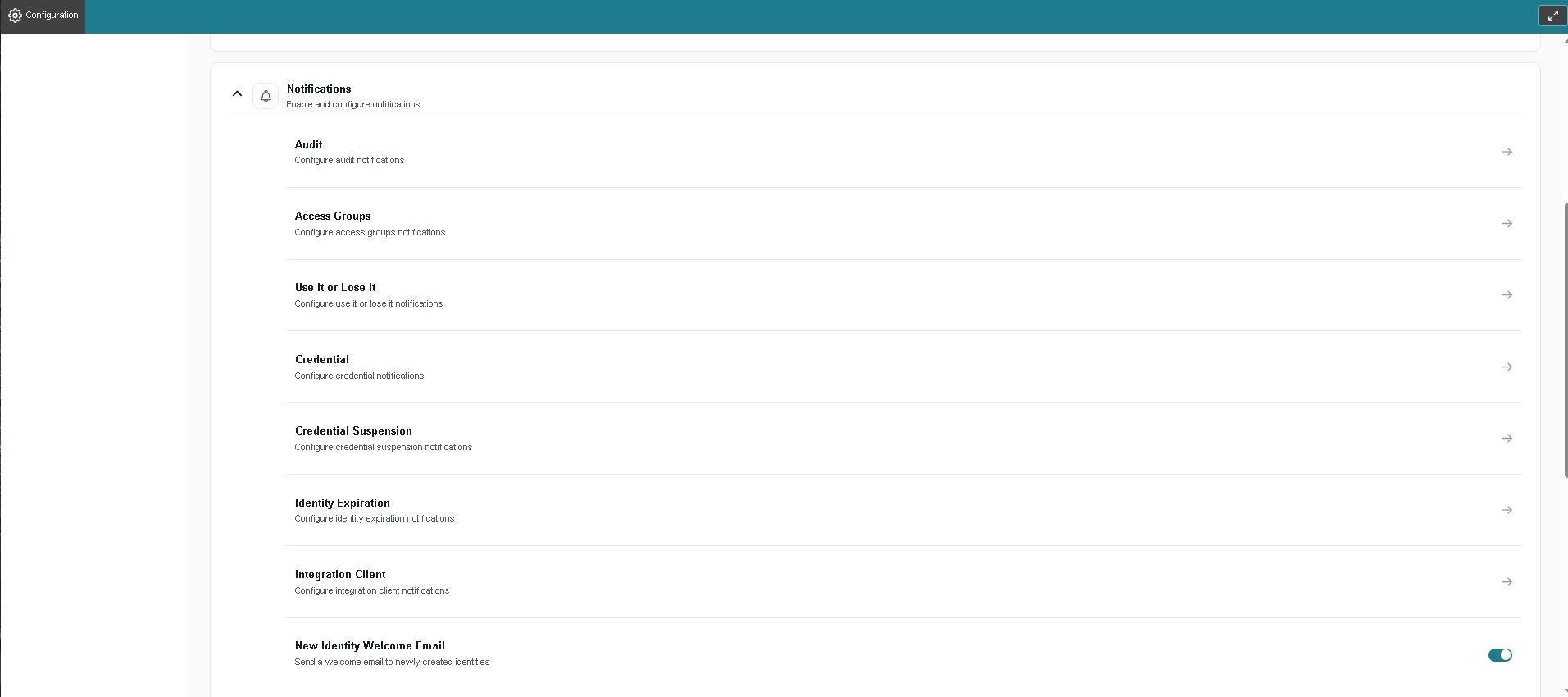
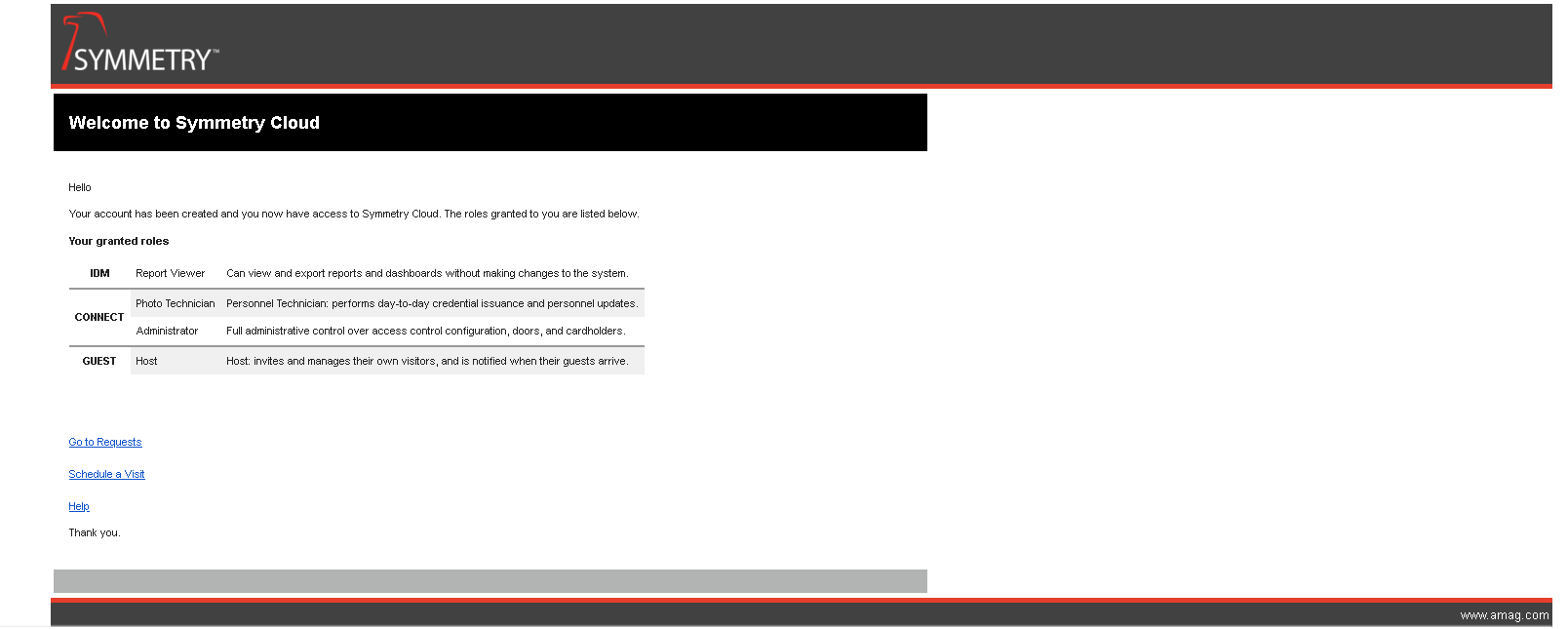
Created Identity Notifications
We have now added a new feature that allows for emails to be sent to newly created identities. This is an optional feature that can be enabled or disabled by an Administrator
The Notification is sent when a new identity is created via UI, import, or API.
Applies only to identities with a valid email address and active status.
Email includes:
Identity’s full name and assigned roles
Summary of what each role allows them to do
Link to basic functionality:
Requests (CONNECT Enabled)
Schedule new visits (GUEST Enabled)
Link to system help
Notifications are logged by the system for Auditing.
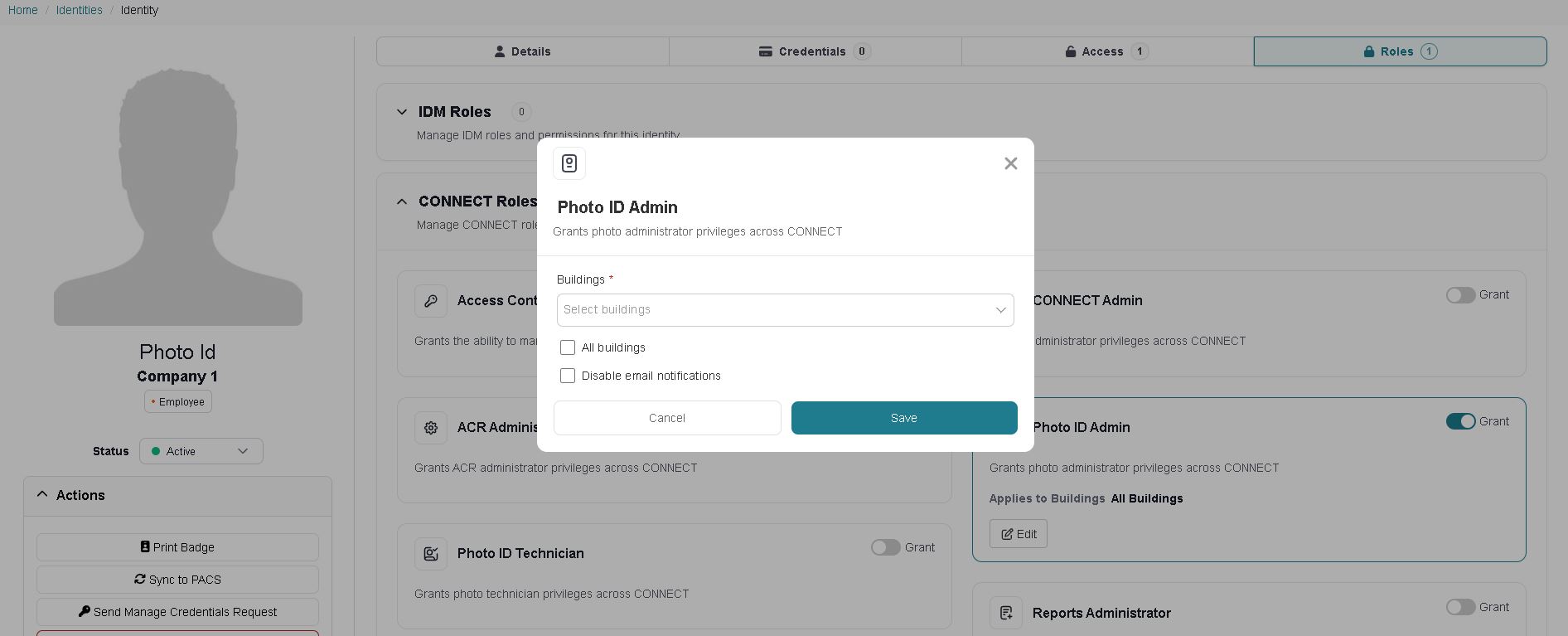
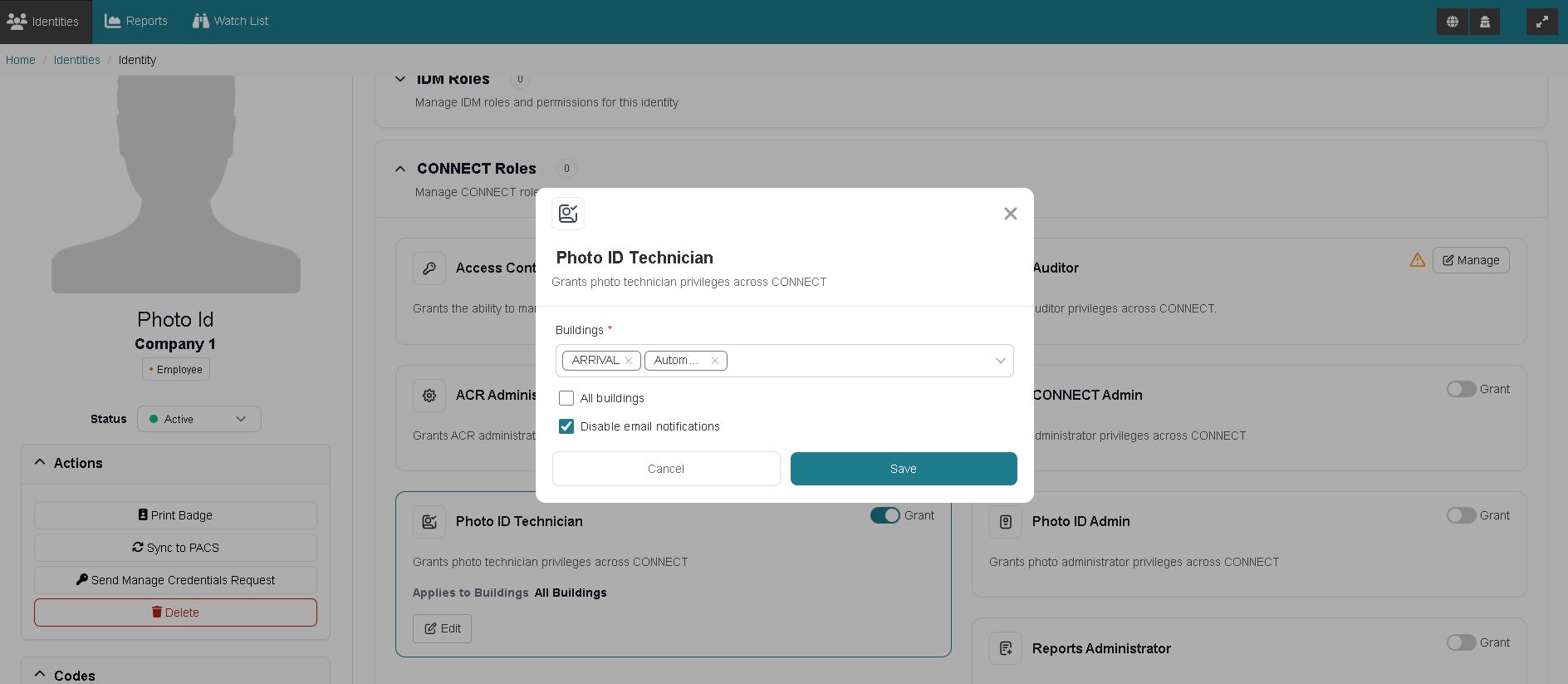
Ability to limit Photo ID Tech by building
A new added feature to allow Administrators to refine the Roles of Photo Admin and Photo ID Tech to specific Building(s)
By default, nothing will change to the existing visibility of Roles until administrators apply relevant changes to buildings.
Technicians can only view, issue, or modify badges for identities associated with their assigned buildings.
Admins can only assign Technicians to buildings that they have access to.
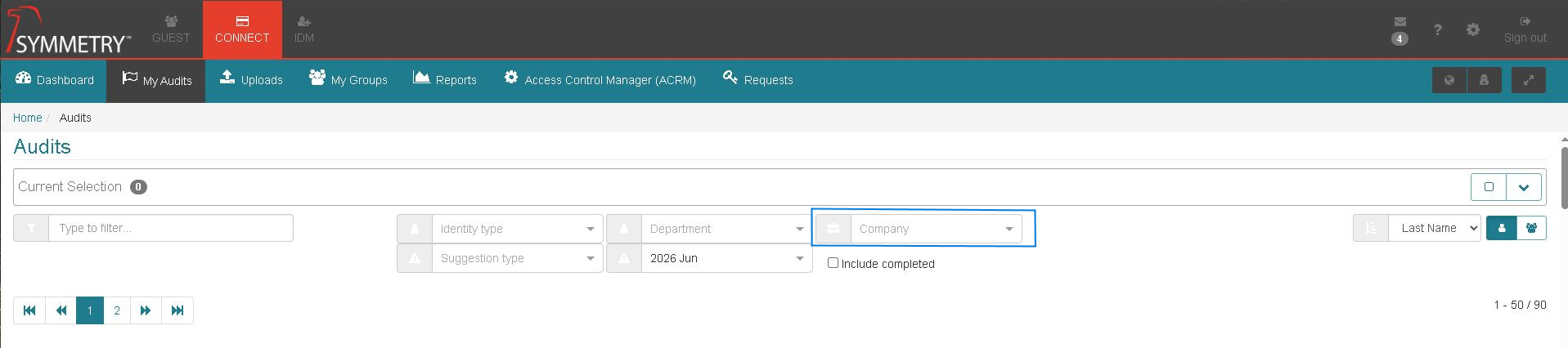
Ability to Add Company filter to the Audit Screen
There is an improved Audit Screen to now filter by Company(s)
Issues Addressed
An issue has been addressed with Filtering on Visit reports not returning the correct results.
An issue has been addressed with the Access group Configuration page not loading.
An issue has been addressed with null dates not being respected in Symmetry for Personal Data Titles when changed in IDM.
ZD235448 - An issue has been addressed with Pre-Checkin Visits not being removed from Symmetry if cancelled or not checked in.
ZD235495 - An issue has been addressed with Access Requests (on behalf of) Activation dates changing.
ZD235850 - An issue has been addressed with Employee type not loading in IDM.
ZD235553 - An issue has been addressed with Check back in failing to be executed by the Receptionist Role.
ZD235017 - An issue has been addressed with User Audit Reports not recording Credential revocation.
ZD235217 - An issue has been addressed with accessing user images to print badges.
ZD234543 - An issue has been addressed with Identity Manager fields not being immediately reflected in IDM until a page refresh is applied.
ZD234772 - An issue has been addressed with large changes to ACRM Access Management backing up Rabbit queues.
ZD231132 - An issue has been addressed with expired credentials in IDM not being removed from Symmetry.